
Maximize Your Privacy on Plex: Essential Settings to Change in 2026
While Plex remains a powerhouse for managing personal media libraries, the platform's default settings often share more user data than necessary. For many users in 2026, the convenience of streaming comes with a growing concern for digital privacy. It's not about having something to hide, but about maintaining control over personal information. From viewing habits to friend lists, numerous data points are collected. Fortunately, Plex provides tools to lock down privacy, and making a few key changes can significantly enhance your data security without sacrificing the core functionality of your media server.
🔒 Adjust Account Visibility & Activity Sharing
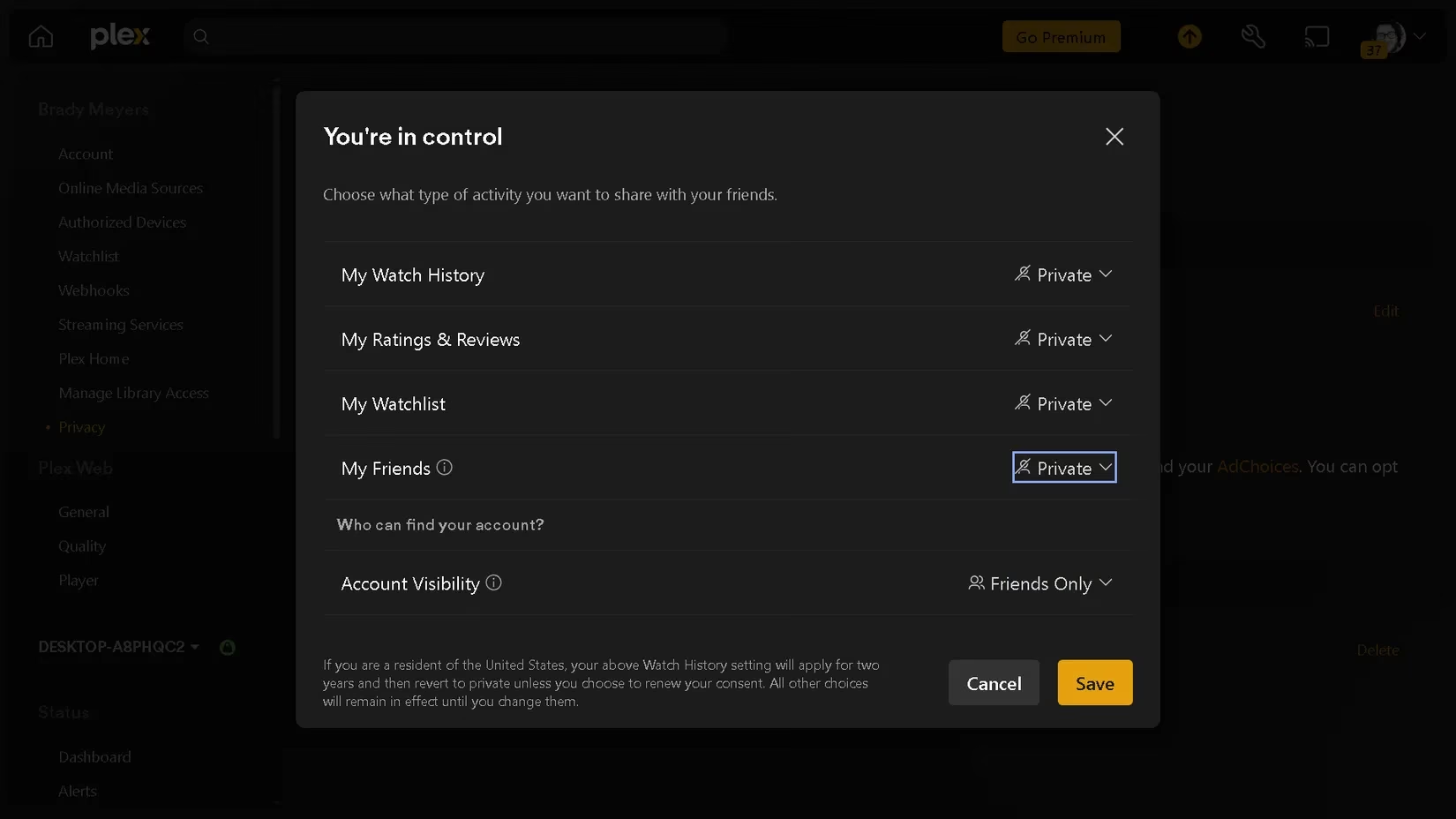
This is the first and most crucial step. By default, Plex might share your watching activity and friend connections. To regain control, navigate to Settings > Privacy. Under ACCOUNT VISIBILITY & ACTIVITY SHARING, click Edit. For maximum privacy, set every available option to Private. The only exception is Account Visibility, which cannot be set to private; the next best option is Friends Only. Don't forget to save your changes!
📧 Unsubscribe from Marketing Emails
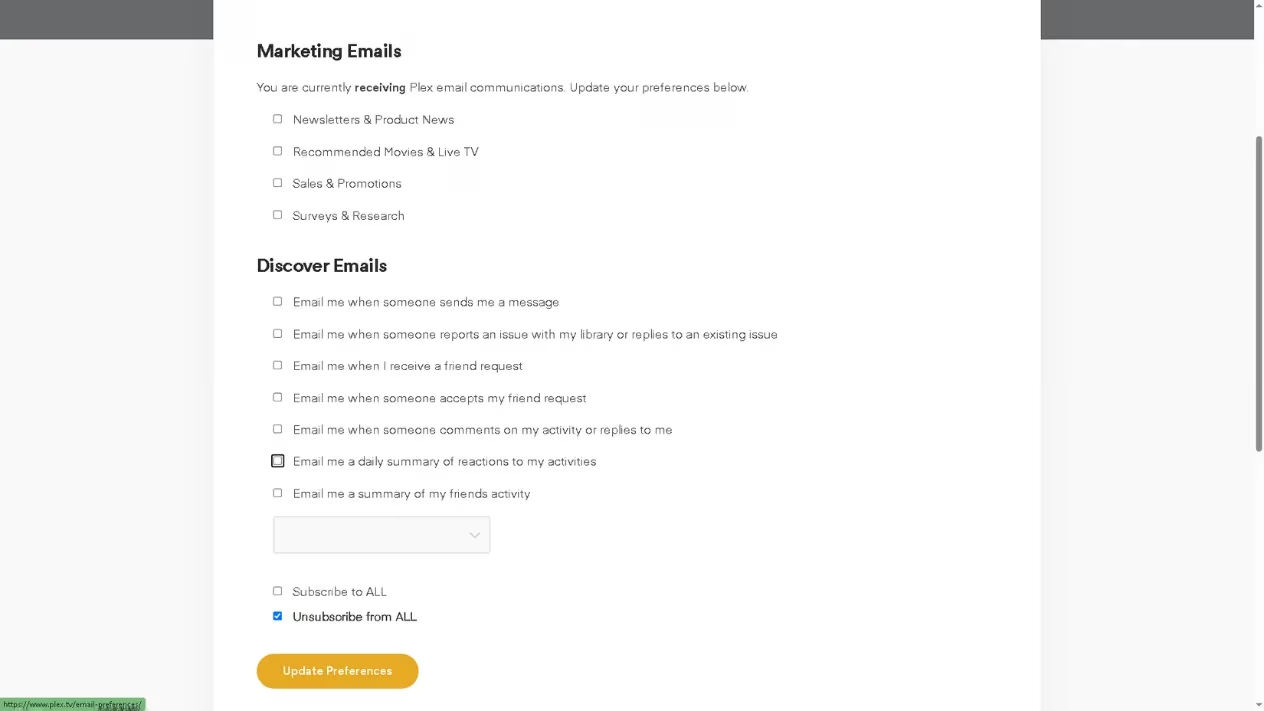
A cluttered inbox is a modern annoyance. Plex, like many services, sends promotional emails. To stop this, go to Settings > Account. Under Preferences, you'll find a hyperlink to your Email Preferences. Click it, and in the new menu, simply uncheck every box. This action ensures you only receive essential account-related emails. Complete the process by clicking Update Preferences at the bottom of the page.
🚫 Limit Data Collection for Ads and Free Content
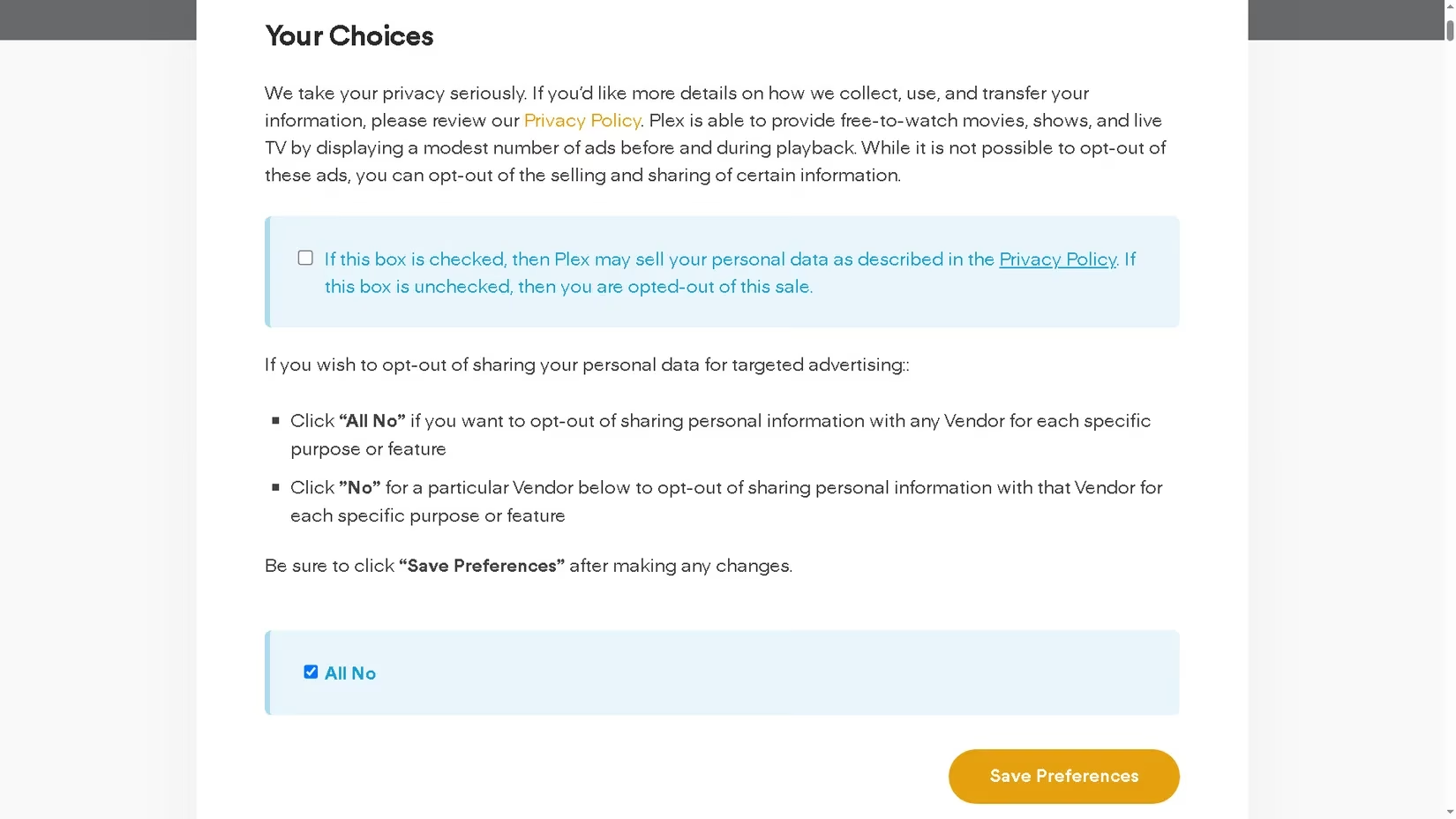
Plex's ad-supported free movies and shows are a double-edged sword. They expand your library but also increase data collection. To limit this, open Settings > Privacy again. Click the Privacy Preferences hyperlink. Here, you will find critical options:
-
Uncheck the box that says, "If this box is checked, then Plex may sell your personal data..."
-
Check the option for All No.
Click Save Preferences. Important note: This stops data selling but does not remove ads, even for Plex Pass subscribers.
📊 Disable Playback Data Collection
Plex collects playback data to "improve the service," but you might prefer to opt out. This setting is managed on the Plex website, not in the app.
-
Sign in to your account on the Plex website.
-
Navigate to the Plex Privacy Policy page.
-
Scroll down to the "Your Plex Privacy Rights" section.
-
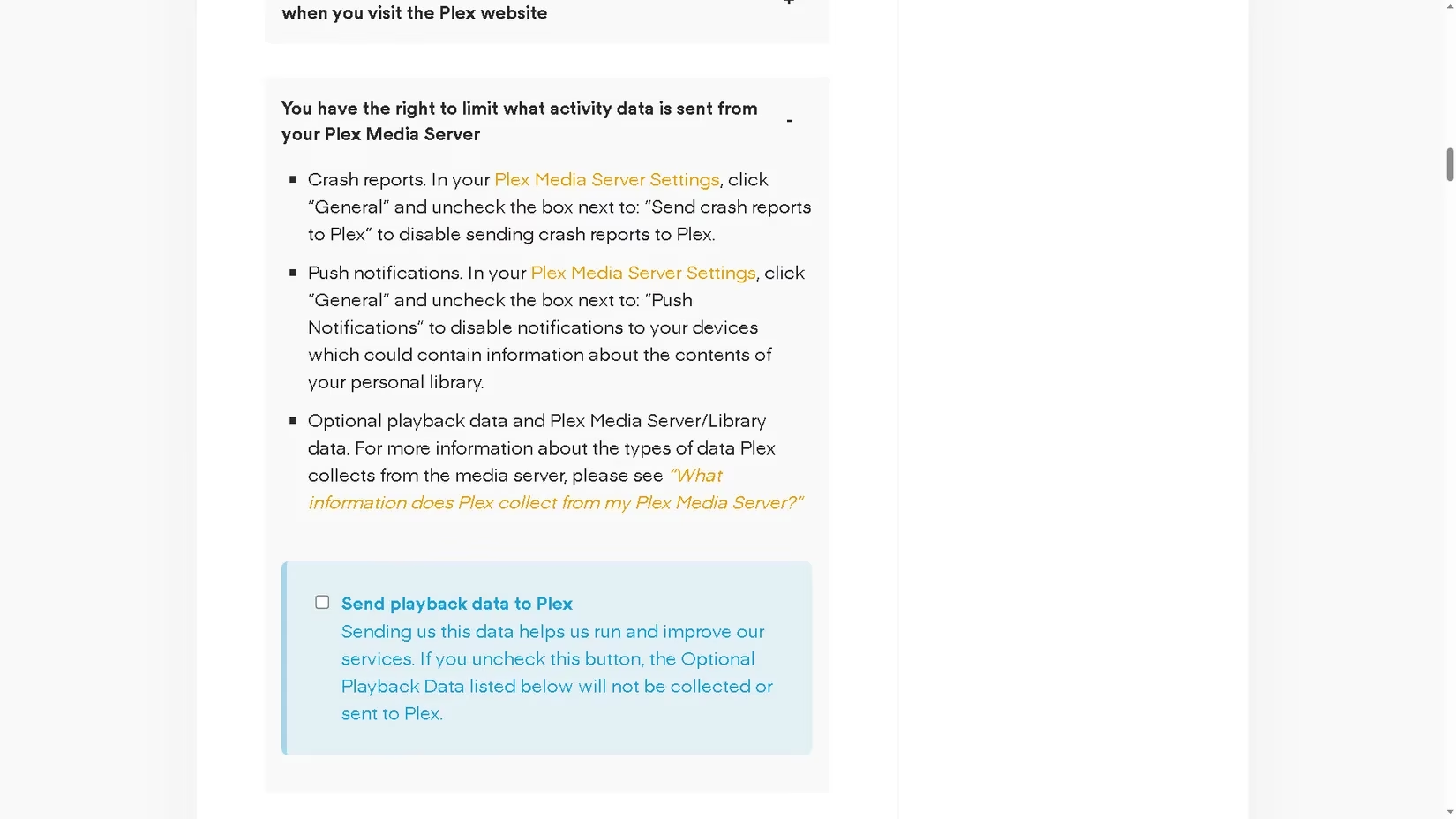
Click on "You have the right to limit what activity data is sent from your Plex Media Server."
-
Uncheck the box for "Send playback data to Plex."
Refresh the page to confirm the change is saved. This ensures your server's viewing analytics stay local.
🎬 Hide Free & Live TV Content from Your Homepage
Want a cleaner, more focused interface that only shows your personal library? You can disable Plex's free content sources entirely. Go to Settings > Online Media Sources. Here, you will see sections for LIVE TV and MOVIES & SHOWS. For each, click Edit and set them to Disabled. This removes these tiles from your homepage, eliminating the temptation and risk of accidental data collection from Plex's streaming library. Your homepage will now be dedicated solely to your owned media.
🗑️ The Nuclear Option: Account Deletion
If you decide to stop using Plex altogether, you can request the deletion of your data on the way out. Warning: This permanently deletes your account and all associated content, including libraries.
-
Visit the Plex Privacy Request Center site.
-
Select your country and state.
-
Choose Start Deletion Request.
-
Provide your name, email, and any comments.
-
Finalize by clicking Review Request.
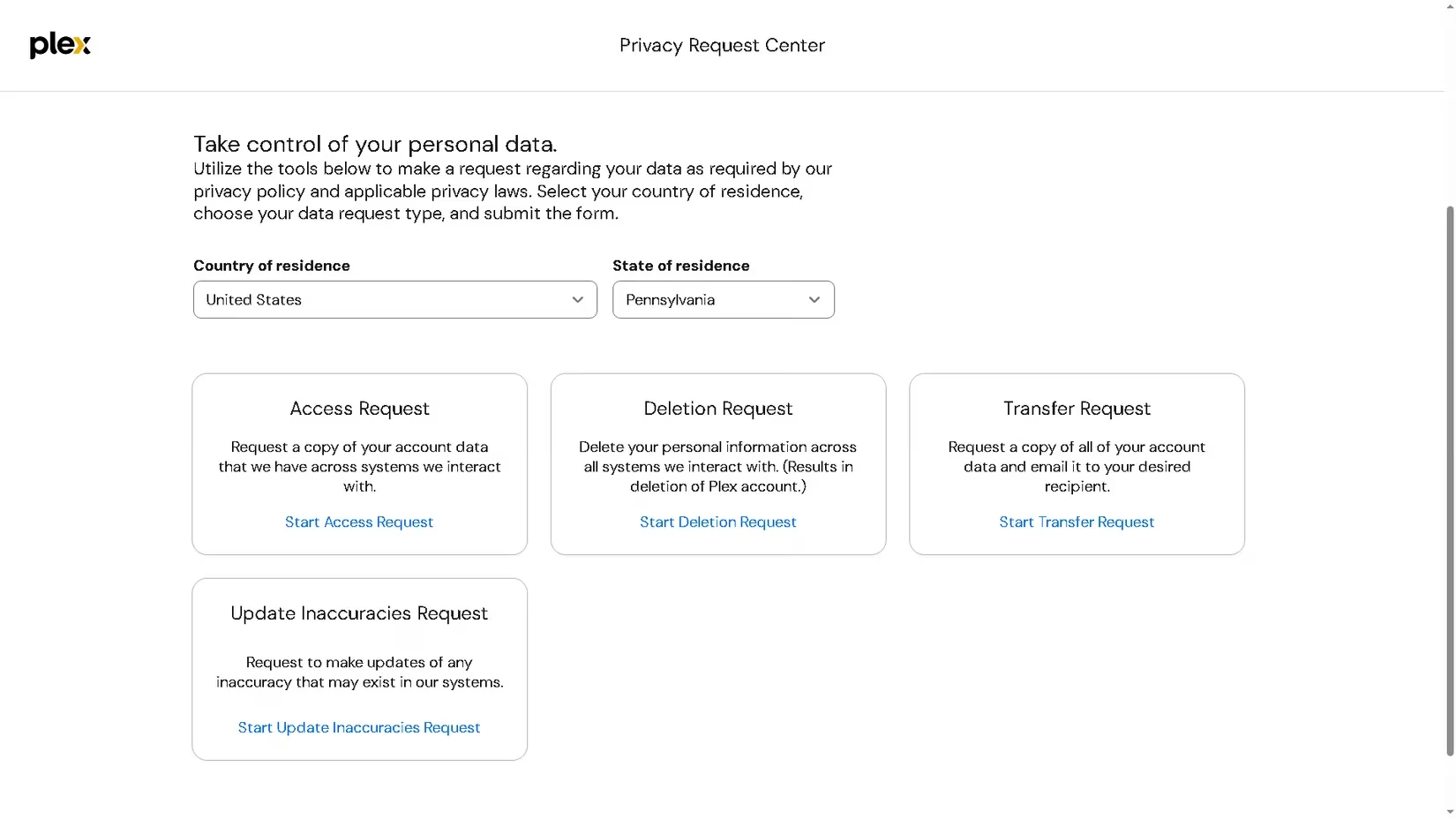
For those who continue using Plex, you can also submit access and transfer requests through the same Privacy Request Center to see exactly what data has been collected about you.
In the digital landscape of 2026, taking proactive steps to manage your data footprint is essential. Plex offers fantastic features for media enthusiasts, but there's no need to let it gather more information than required. By implementing these privacy tweaks, you can enjoy your personal media haven with greater peace of mind. Remember, controlling your data is a continuous process, not a one-time setup. 🛡️