
The Ultimate Guide to Reclaiming Your Netflix Kingdom in 2026
Alright, gather 'round, fellow binge-watchers. Let me paint you a picture: you've got your favorite snack, the perfect blanket, and a glorious evening of streaming planned. You click on the big red 'N,' and bam! You're staring at the login screen like a stranger at your own front door. Your Netflix account has ghosted you. Don't panic. I've been there, staring at that unforgiving prompt, feeling like my own digital couch potato sanctuary had changed the locks. But trust me, getting back in isn't a mission impossible sequel; it's more like a slightly annoying puzzle. The reasons are usually the usual suspects—forgotten passwords, sneaky hackers, or your credit card deciding to take a spontaneous vacation. Let's walk through how to become the master locksmith of your own streaming domain.
The Classic: "I Forgot My Password" Saga
This is the granddaddy of all lockouts. We've all been there. The good news? Netflix has a pretty solid "Forgot Password?" system. Just head to their login help page.
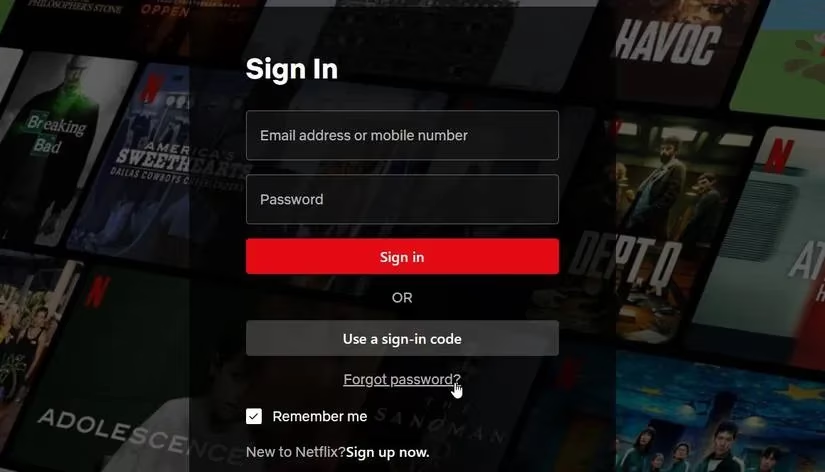
You can choose to get a reset link sent to your email or a text to your phone. Simple, right? But here's the thing—that link is like Cinderella's carriage; it turns back into a pumpkin after 24 hours. If you miss the window, you gotta request a new one. And if the email is playing hide-and-seek, check your spam, junk, and promo folders. Seriously, my reset email once ended up next to a coupon for 10% off socks. Go figure. Netflix even suggests adding [email protected] to your contacts to improve delivery. If it's still a no-show, sometimes email providers just... have a bad day. Give it up to five hours before hitting the panic button again.
When You Don't Remember Anything
Okay, so you've drawn a complete blank on both email and password. Now what? Netflix, bless its algorithmic heart, can sometimes look you up by your name and the last four digits of the card on file. It's like proving your identity by reciting your favorite pizza topping—unconventional, but it might just work.
The Dreaded "Link Doesn't Work" Scenario
You click the link, full of hope, and... nothing. Ugh, talk about a letdown. First step: go full digital janitor. Delete any old password reset emails lurking in your inbox. Then, visit netflix.com/clearcookies to sweep away any digital cobwebs Netflix left on your device. After that clean slate, head back to the help page and request a fresh reset.
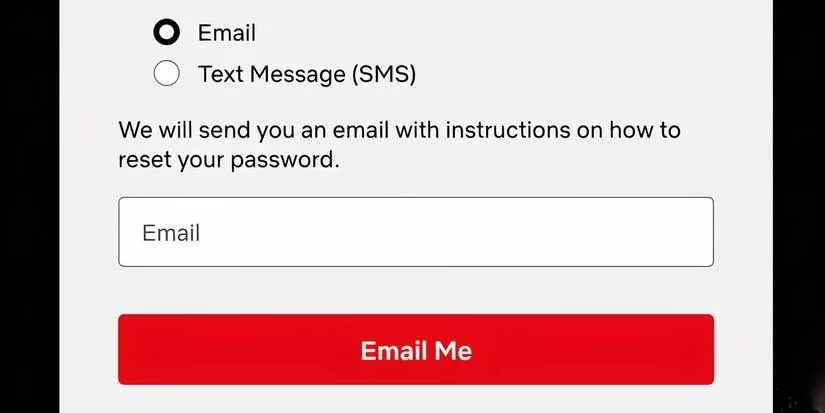
Click that "Email Me" button and follow the new instructions. If it still balks, try doing it on a different device—your phone, a tablet, your smart fridge, whatever. Sometimes devices just get moody.
The Password It Doesn't Like
You craft what you think is the perfect password, and Netflix hits you with: "This password is not secure or is too common." Come on, Netflix, don't be like that. It's pickier than a toddler at dinner. Just keep adding characters, numbers, and symbols until it finally gives you a grudging thumbs-up. It's a battle of wills, and you will win.
The Unwanted Guest: Account Hacked 😱
This one's a real party pooper. In our modern digital jungle, hackers are like raccoons constantly rattling your trash cans. If one gets into your Netflix, you'll likely get an email telling you to change your password ASAP. Do it immediately using the steps above. But your job isn't done! You need to evict them from your digital home.
-
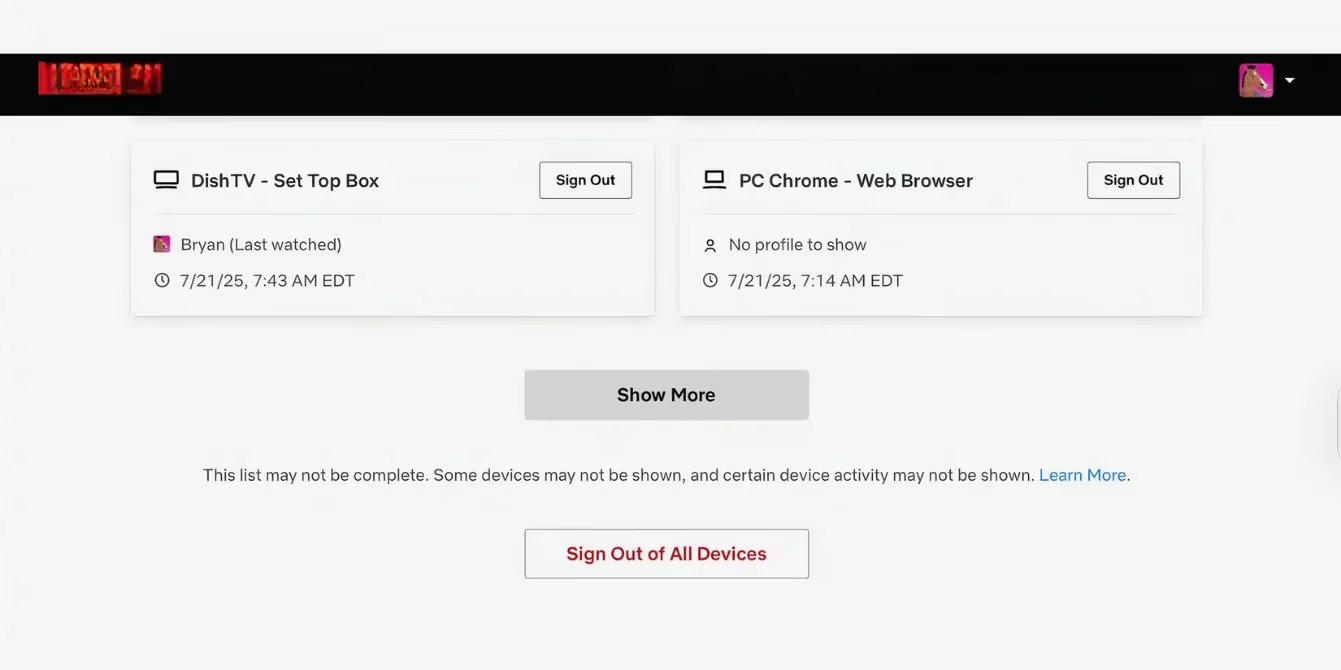
Sign Out of All Devices: This is your nuclear option. On a computer, go to your account's Security section, find Access and Devices, and choose Sign out of all devices. It's a beautiful feeling—like changing the locks on every door at once.
-
Check the Cash Flow: Go to Manage payment methods and remove any card that looks suspicious or that you don't recognize. For super peace of mind, remove them all and re-add just the one you trust.
-
Watch Your Bank Statements: Keep an eye out for any weird charges. If you spot something, call your bank faster than you can say "Stranger Things season finale."
When Netflix Can't Get Paid
Sometimes the lockout isn't about you; it's about money. If your payment method fails, Netflix is quick to send an email and slap a message on your screen. You'll need to update your payment info pronto. Once the charge goes through, your access is restored—no fuss, no muss.
Calling in the Cavalry: Netflix Support
If you've tried everything and you're still locked out, it's time to call the pros. Head to Netflix's Contact Us page. Support options vary by region, but you can usually reach out via email, chat, or phone. They're the ultimate locksmiths for your digital dilemma.
Fortifying Your Castle: Prevention for 2026 and Beyond
Once you're back in, let's make sure this doesn't happen again. A little prevention goes a long way.
| Tip | Why It Matters |
|---|---|
| Use a Strong, Unique Password | Make it long (12+ characters), complex, and don't reuse it elsewhere. A password manager is your best friend here. |
| Add a Recovery Phone Number | Gives you a second key to the kingdom if your email is compromised. |
| Beware of Phishing Scams | Netflix will never ask for your password or bank details via email or text. If an email looks fishy (pun intended), it probably is. Don't click links! |
| Keep Credentials Close to Home | Sharing is not caring with Netflix passwords. If logins start popping up from far-flung locations, Netflix might lock the account for safety. Vacation logins are okay, but long-term access from elsewhere is a red flag. |
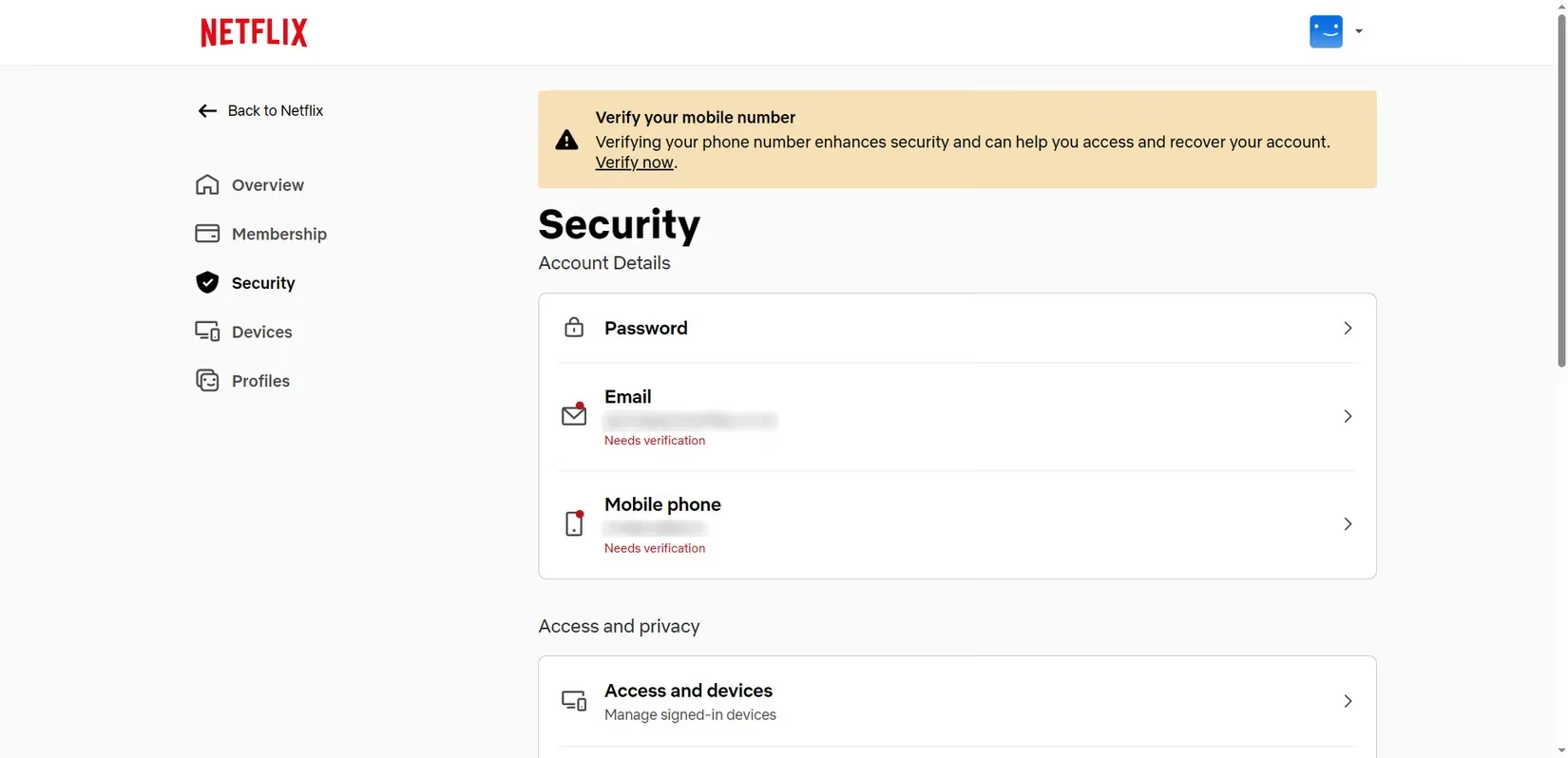
Look, getting locked out is a hassle, no two ways about it. But it's usually a temporary setback. With these steps, you can navigate the recovery process like a pro and, more importantly, build a fortress around your account so you can get back to what really matters: debating which show to watch next and wondering if that snack supply will last the night. Happy streaming! 🍿🎬