
The Hidden Compass: Navigating the Labyrinth of Your Google Privacy Dashboard
In the sprawling digital metropolis that is a Google account, where data flows like unseen rivers beneath familiar streets, there exists a quiet control room. This is the Privacy Dashboard, a comprehensive suite of tools often overlooked, tucked away like a forgotten library in the annex of account settings. While Google frequently weathers criticism for its data practices, this dashboard offers a surprising degree of agency over one's digital shadow—a collection of levers and dials to manage saved information, curate advertising experiences, and govern data shared with both people and third-party applications. The interface, though not immediately intuitive for swift, privacy-hardening configuration, is thoughtfully segmented into distinct realms, each with clear explanations, demystifying the often-opaque processes of data collection.
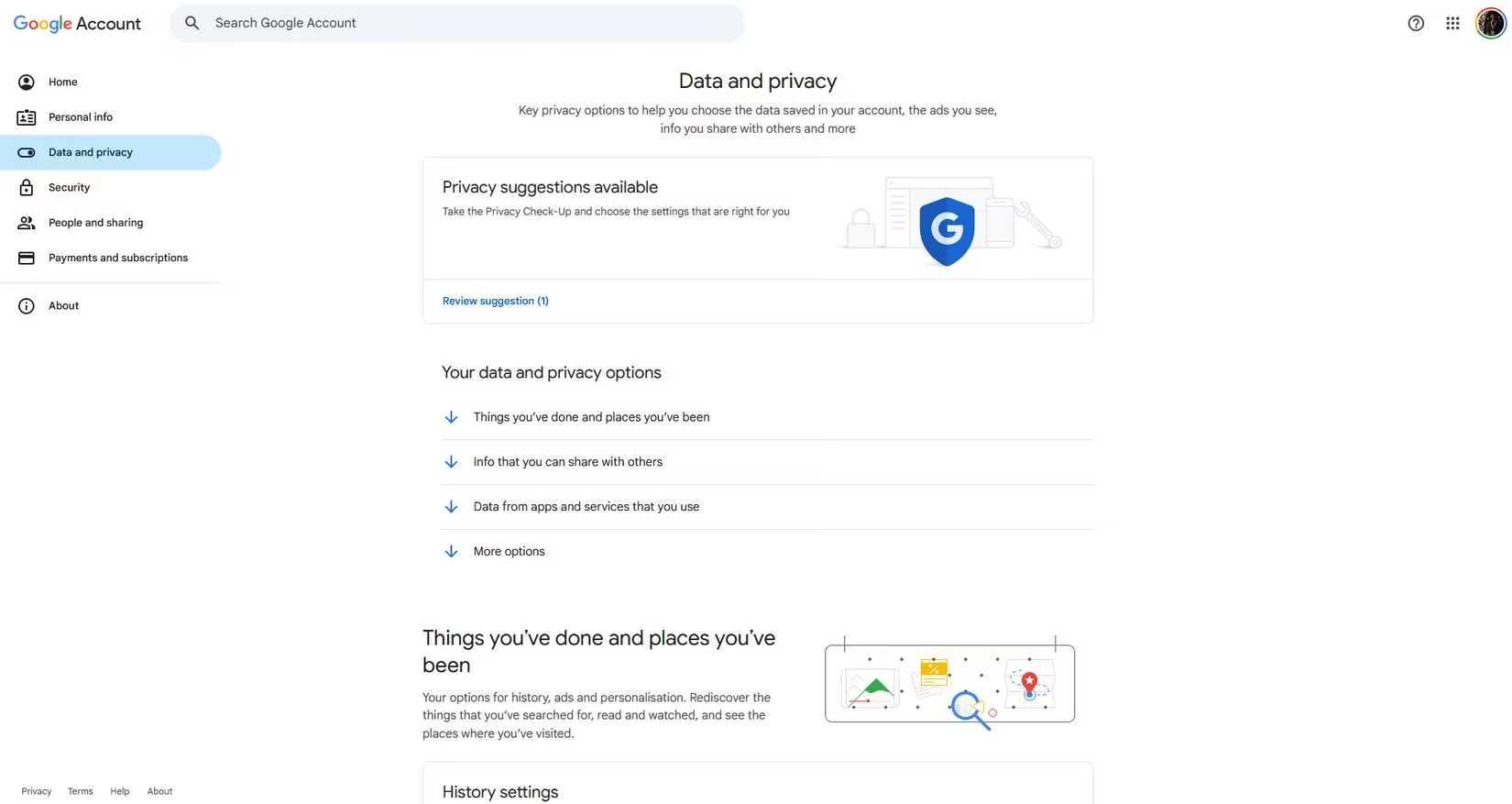
🗺️ Things You've Done and Places You've Been
This section is the chronicle of your digital voyage, a meticulous logbook of interactions. It houses the controls for history, advertising personalization, and connected services. At its heart lies My Activity, a chronological tapestry weaving together every search query, YouTube view, and Maps inquiry—a diary written not by you, but by your digital footprint. The most profound settings here govern the threads of this tapestry:
-
Web & App Activity: A log of every interaction with Google's ecosystem.
-
Location History (Timeline): If enabled, this constructs a day-by-day map of your physical journey, a ghostly imprint of your movements that can feel as intimate and unsettling as finding a stranger's detailed travelogue of your own life.
-
YouTube History: An archive of viewed content and search queries on the platform.
The granular detail can be startling, revealing patterns one might not consciously recognize. Fortunately, the controls are robust: pausing tracking, disabling location history, deleting recorded data, or setting up auto-delete cycles (3, 18, or 36 months) to let old footprints fade like inscriptions on a sandy shore.
👤 Information You Share With Others
This realm governs the public face of your private details. Information like your birthday, contact details, and occupation is stored privately, but this section allows you to sculpt what facets are visible to others across Google services. The two primary pillars are:
| Setting | Purpose | Key Detail |
|---|---|---|
| Profile | Manages basic personal info (name, gender, work, etc.) | Clearly labels what is public versus private. |
| Location Sharing | Controls real-time location sharing from your devices. | Can be disabled here but only enabled from a mobile device. |
Additional settings here provide oversight for payment methods, active subscriptions, connected devices, and saved contacts, offering a holistic view of your account's connective tissue.
📱 Data From Apps and Services You Use
This section acts as a registry and audit log for your digital dependencies, tracking content and preferences related to both Google and third-party services. It is divided into two critical domains:
-
Google Apps and Services: Provides a summary of utilized services and their stored data. Here, you can download your data, adjust settings, or—significantly—delete a specific Google service from your account entirely.
-
Third-Party Apps & Services: A vigilant gatekeeper, this lists all external applications linked to your Google account. You can review the data permissions granted to each and sever connections to unwanted websites, cutting digital ties with the decisiveness of a sculptor removing excess marble.
Beyond these, this section includes practical utilities like managing email subscriptions from Google and the powerful option to download your complete Google data archive in a single action for backup purposes.
⚙️ More Options: The Final Reckoning
This final category houses the most consequential choices, dealing with digital legacy and ultimate account control.
-
Inactive Account Manager: This allows you to plan for your digital afterlife. You can define when Google should consider your account inactive, specify contacts to notify, decide what data should be shared with trusted individuals, and set terms for the account's eventual deletion.
-
Delete Your Google Account: The ultimate recourse. This process provides a full summary of all data slated for erasure, outlines the consequences (loss of access to Gmail, Drive, Photos, etc.), and offers a final chance to download your data before executing the command—a digital reset as profound as the silence after a symphony's final note.
🔍 Overall, Google has performed an admirable task in deconstructing complex privacy concepts into an interface approachable for the average user. The dashboard is a well-organized compass for navigating one's data landscape. Its primary flaw remains its concealment; it is buried beneath layers of menus, a hidden panel in the control room of a vast starship, unlikely to be found without deliberate exploration. Yet, once discovered, it empowers users with a level of control that can transform anxiety into agency. By meticulously adjusting these settings, one can configure their digital presence not as an exposed artifact, but as a curated gallery, ensuring that when the right safeguards are in place, a measure of peace can be found in the interconnected age of 2026.