
How I Secured My Bank Account With Limited Security Options
It's honestly super frustrating when you think about it. The websites that hold our most important assets—our hard-earned money—often have the most outdated and limited security features. Like, I can set up a super complex 100-character password for some random gaming forum, but my bank? Nope, they cap it at 20 characters and sometimes don't even let me use special symbols! 😤 It feels backwards. But just because the tools are basic doesn't mean we can't get creative. I've spent some time tweaking every single setting on my bank's website, and I want to share how I've layered up the security, even when the bank itself isn't giving me the good stuff like passkeys or authenticator apps.
1. Ditch the Obvious Username
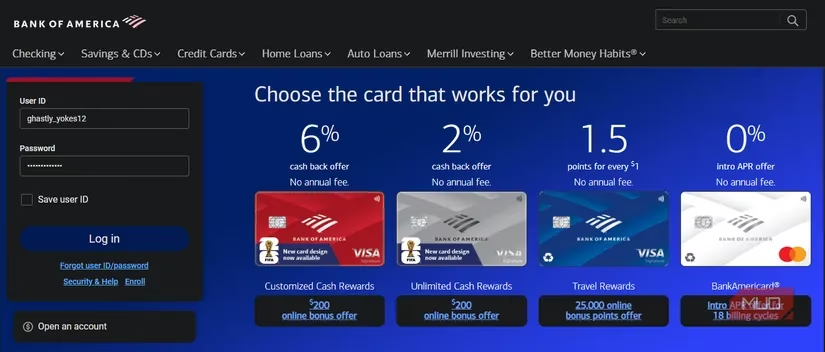
Here's a key move most people miss. A lot of online services default to using your email as your username. Given how many data breaches happen, your email is probably already out there. 🎯 Luckily, many banks (including mine) let you set a custom username that's completely separate from your email. This is a golden opportunity!
Don't use something guessable like your nickname, part of your email, or your real name. Instead, treat your username like a second password. I used my password manager to generate a completely random string of letters, numbers, and symbols. Something like K7#pL!29@qW. This adds a whole extra layer of defense. If someone tries to brute-force their way in, they now have to guess both a random username and a password. It won't save you from a massive bank system breach, but it makes you a much harder target for general attacks.
2. Max Out That Weak Password
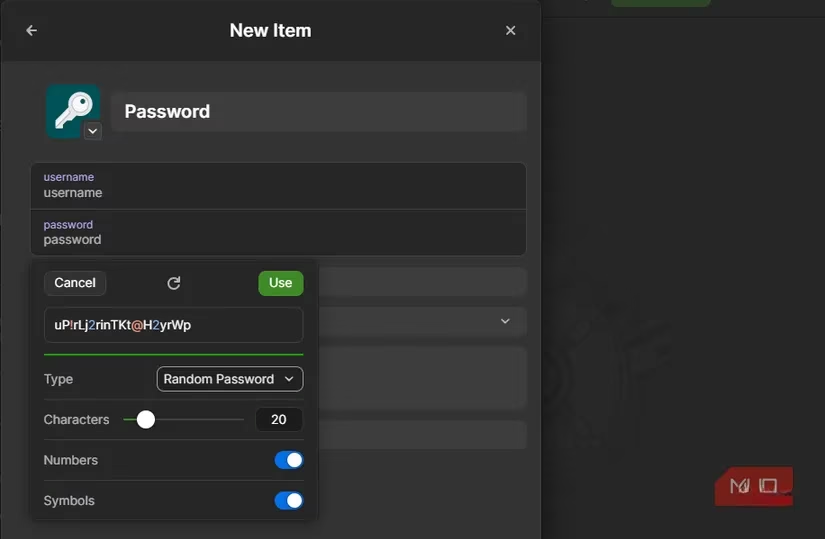
Okay, so the bank says 20 characters max? Fine. We're using every single one of them. 🙌 A 20-character password can still be incredibly strong—if it's truly random. This is non-negotiable: use a password manager. Let it generate the longest, most complex password the bank will allow. Check the site's rules: can you use symbols? Numbers? Mix uppercase and lowercase? Use all of it.
My strategy:
-
✅ Length is King: Always hit the 20-character limit.
-
✅ Go Random: Avoid any dictionary words, patterns, or repeated characters.
-
✅ Mix It Up: Use the full character set (letters, numbers, symbols).
-
🔒 Store It Securely: Obviously, this crazy password lives in your password manager. Make sure your master password is ironclad and you have 2FA enabled on the password manager itself.
Think of it this way: you're building the strongest possible wall with the limited bricks the bank gave you.
3. Security Questions? Lie Through Your Teeth!
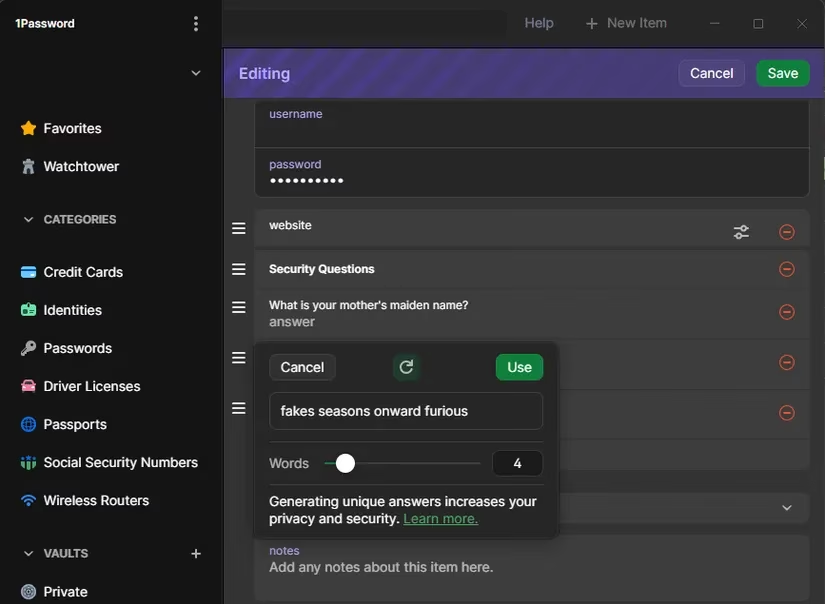
This one drives me nuts. My bank doesn't offer modern 2FA, but it still has those ancient security questions. 🤦♂️ "What's your mother's maiden name?" "What street did you grow up on?" These are terrible! This info is often findable on social media or public records. Questions like "What month was your best friend born?" only have 12 possible answers!
The only safe way to handle these is to treat them as extra password fields. Make up totally random, nonsensical answers. When asked for your favorite high school teacher, the answer shouldn't be "Mr. Johnson"—it should be something like "PurpleSpaceElevator99!". The answer has zero relation to the real question, making it un-guessable.
Pro Tips:
-
Store these fake answers in your password manager's notes section for that login.
-
Make the answers something you can actually pronounce. You might need to give them over the phone for verification sometimes!
4. Fortify SMS 2FA (Yes, It's Weak, But Use It!)
If your bank offers any 2FA, it's probably SMS-based. We all know SMS isn't great—it's vulnerable to SIM swap attacks. But here's the thing: it's infinitely better than no 2FA at all. So you should absolutely turn it on. It adds one more hurdle for an attacker.
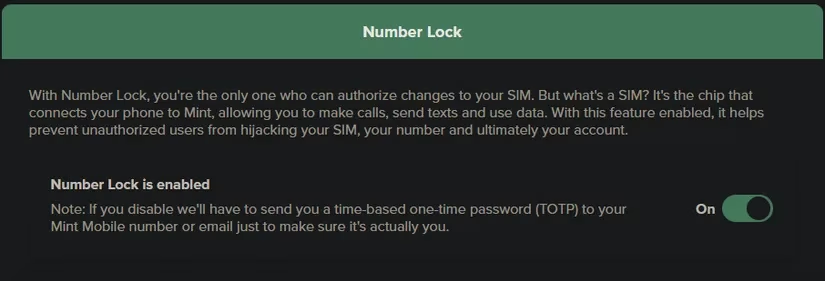
The real power move here happens at your mobile carrier. Since SIM swaps are the main threat to SMS 2FA, you need to lock down your phone number itself. The great news is that as of 2025, all the major carriers (Verizon, AT&T, T-Mobile, etc.) offer a SIM Lock or Number Lock feature.
What this does: It prevents anyone from porting your number to a new SIM card unless you personally unlock it, usually with a PIN you set up. Enabling this is a game-changer. It means even if someone has your bank password, they can't intercept the SMS code without physically stealing your phone and knowing your carrier account PIN.
Action Item: Log into your mobile carrier account right now. Find the security settings, enable SIM swap protection, and set a strong PIN. Then, secure your carrier account with a strong password too!
5. Set Up Every Alert You Can Find
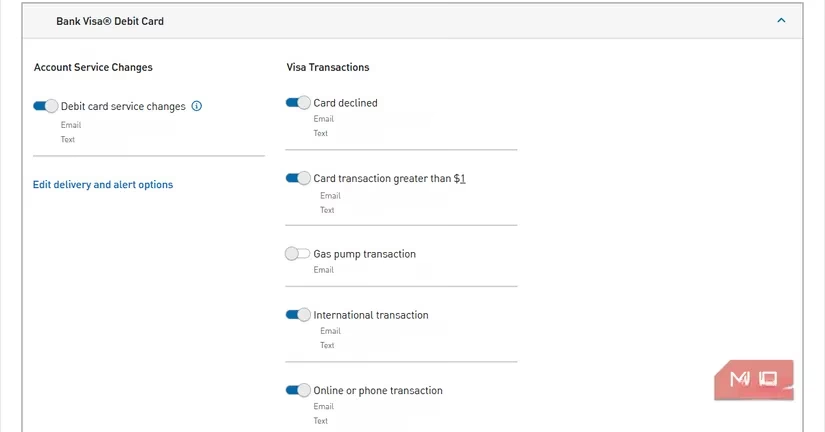
Prevention is key, but early detection is your safety net. I can't stress this enough. Earlier this year, I got a text alert the second a fraudulent charge hit my card on Amazon. I was able to freeze my card and call the bank within minutes. 🚨
Dive deep into your bank's notification settings. You typically can set alerts for:
-
Logins from a new device or location (This is HUGE)
-
Any withdrawal or transfer over a certain amount (I set mine to $0.01 to catch everything)
-
Large purchases
-
Password changes
-
Low balance warnings
Set them up for email, text, and push notifications through your bank's app. The goal is to know immediately if something fishy is happening. If a thief does get in, the faster you know, the faster you can call the bank and stop them from draining your account. Speed is everything when it comes to fraud recovery.
Look, I really wish banks would get with the times and offer passkeys, proper authenticator app support, and longer passwords. But until that magical day comes, we have to work with what we've got. 🛡️ Taking 30 minutes to implement these five steps—random username, maxed-out password, fake security answers, carrier SIM lock, and full alerts—creates a surprisingly robust defense-in-depth strategy.
Make it a habit to check your bank's security page once in a while. Maybe they'll finally add a better option. But for now, don't leave your digital vault with a simple lock. Layer it up, stay vigilant, and keep your money safe! 💪