
How a Near Hack Forced Me to Lock Down My Gmail in 2026
It was 3:17 a.m. on a Tuesday when my phone buzzed with a notification that made my heart nearly stop: “New sign-in on your Google Account from Moscow, Russia.” I live in Seattle, and the only tournament I had coming up was online—definitely not in Moscow. As a professional gamer, my Gmail account isn’t just email; it’s the anchor for my game accounts, streaming platforms, payment methods, and even my sponsor contracts. Panic set in instantly. I bolted upright, opened my laptop, and that’s when the real fight for my digital life began. What happened next turned into a masterclass in Gmail security that I wish I had taken seriously before the crisis.
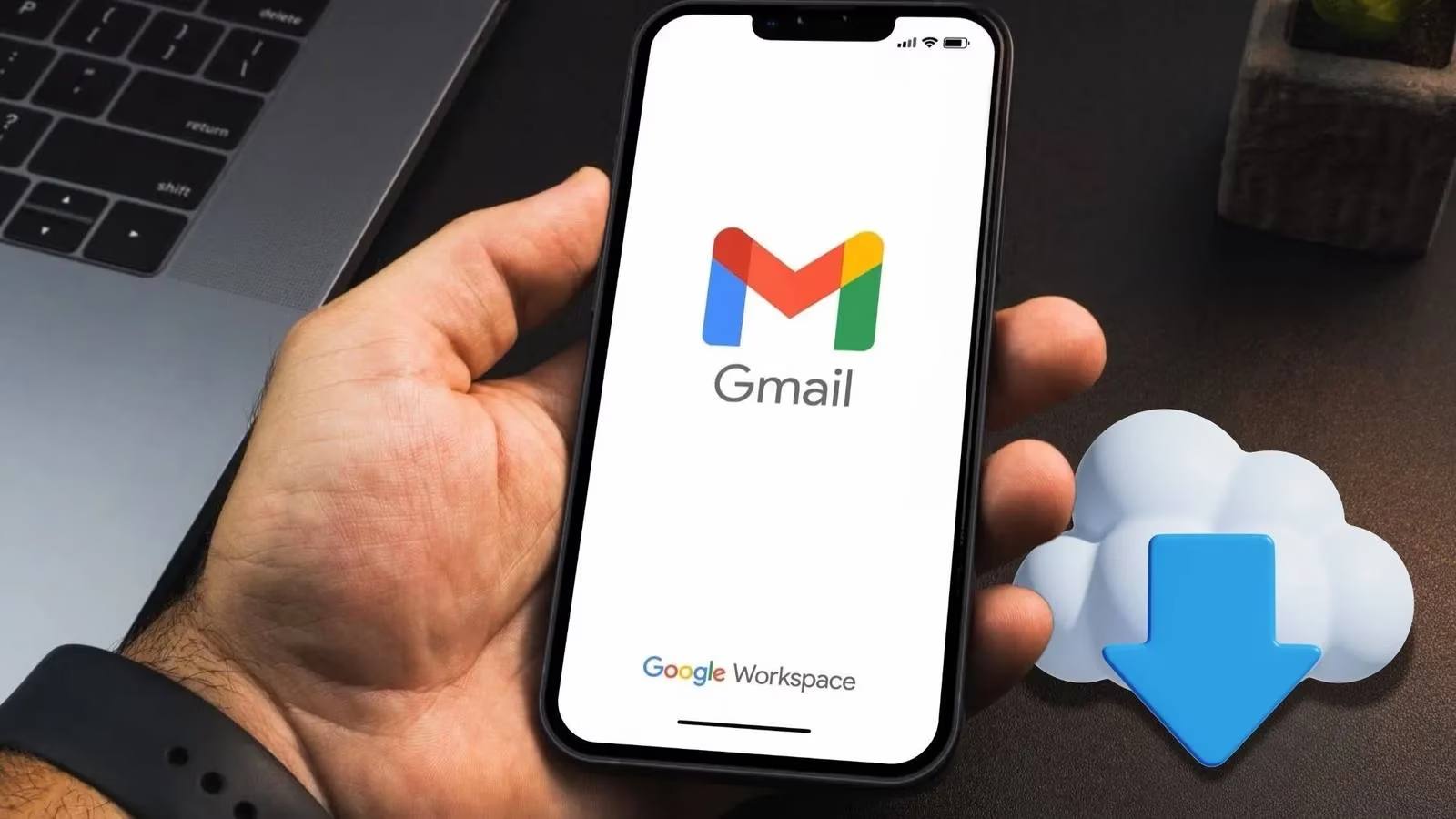
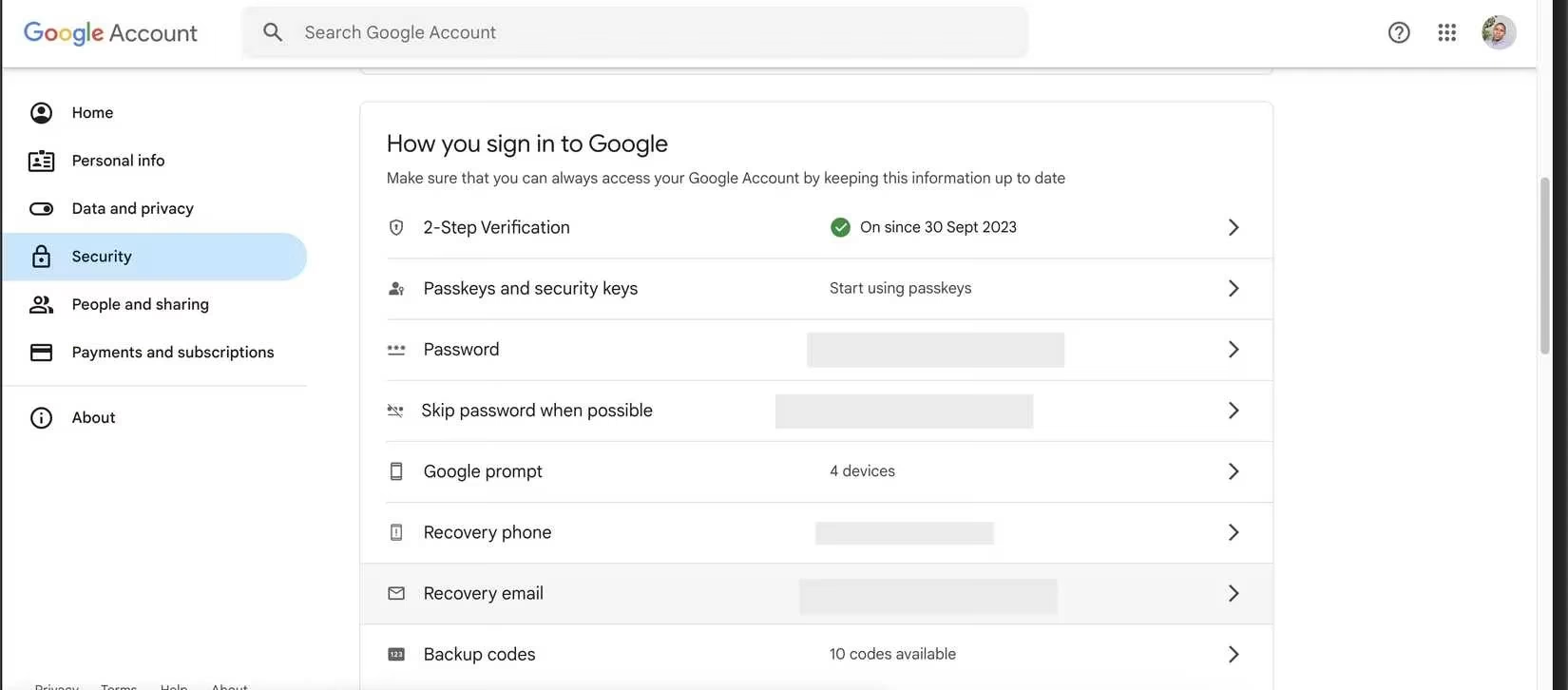
I managed to quickly change my password from a device Google still recognized, but I knew it wasn’t enough. After stopping the immediate threat, I dove deep into my account settings, and the first gut-punch was discovering my recovery phone number was one I’d discontinued in 2024. My recovery email? An old college address that the university had purged six months after I graduated. I had effectively locked the emergency exits on my own account. That night taught me that recovery information isn’t just a checkbox during setup—it’s your lifeline when things go wrong. I immediately opened the Security tab under Manage your Google Account and updated both my recovery phone and email to ones I actively use. I even added a second recovery email for redundancy. Don’t be surprised if you find ghost numbers from a decade ago listed there; we’ve all upgraded phones and forgotten to tell Google.
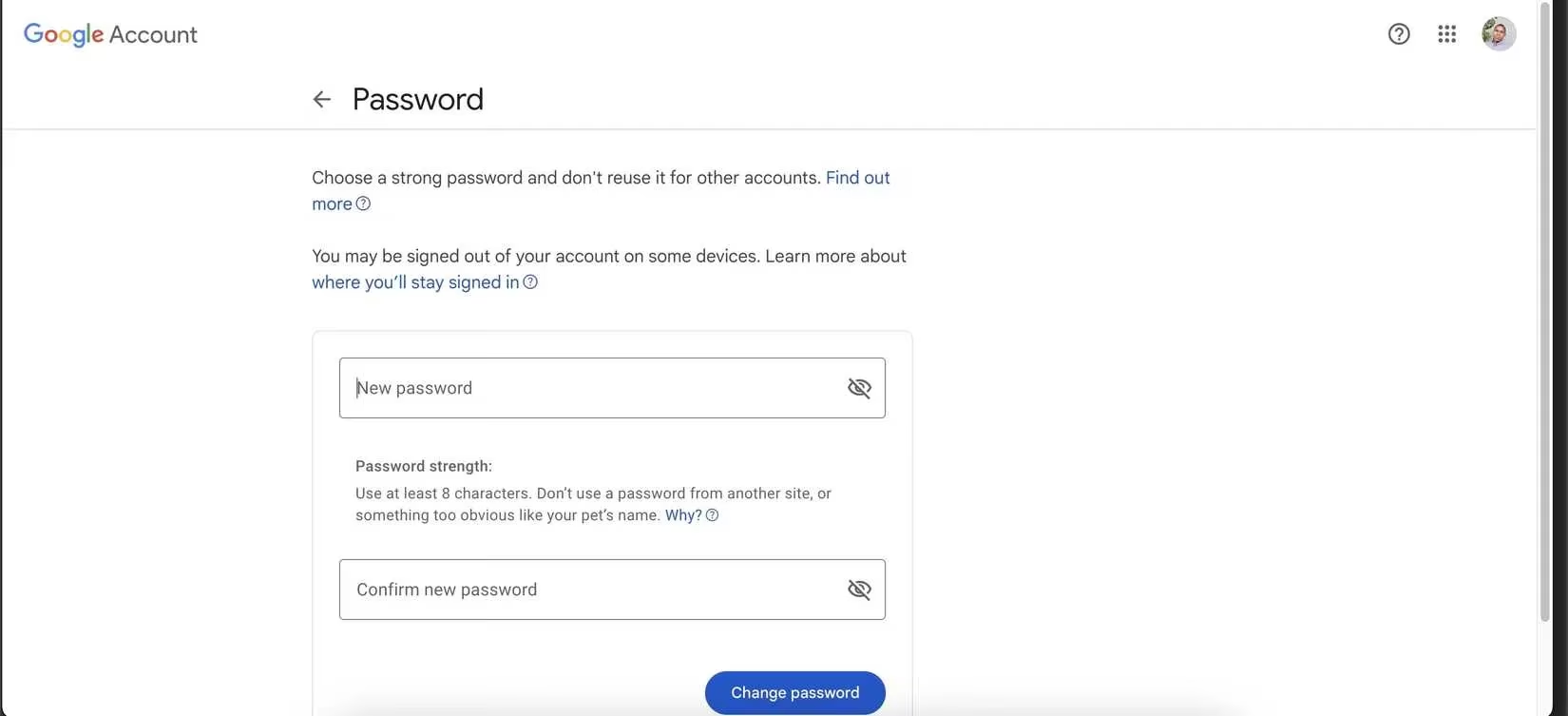
While fixing that, I noticed my password was the same one I had concocted in 2020—a mix of my dog’s name and my birth year. It wasn’t exactly “password123,” but it was far from safe. Reusing passwords across Discord, Twitch, and my game launchers made the situation lethal. If one of those sites suffered a breach, my entire digital identity could crumble. I used a password manager to generate a 20-character monstrosity filled with upper- and lowercase letters, numbers, and symbols. Now, not a single character is guessable from my social media or streaming bio. If you haven’t changed your password since before passkeys became mainstream in 2025, consider this your urgent wake-up call.
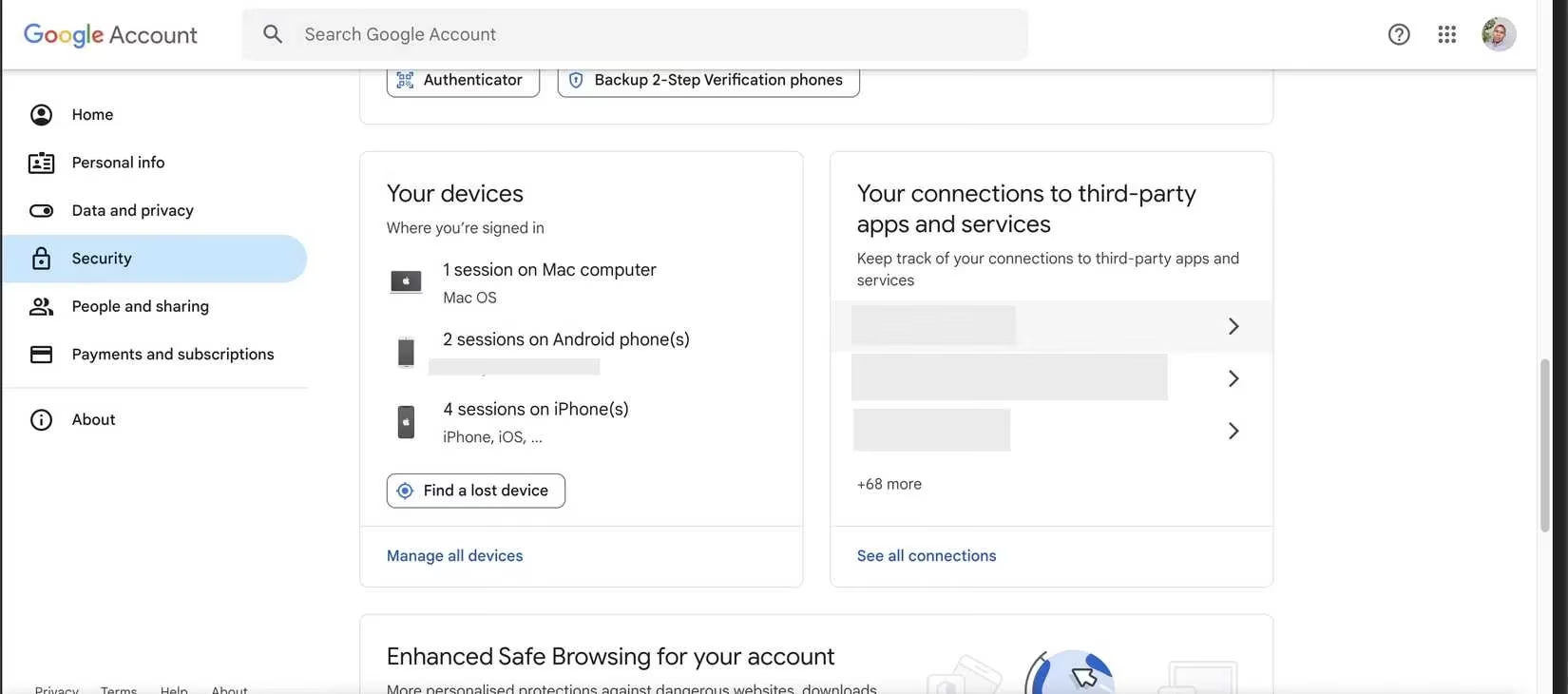
The next stop was the list of devices signed into my account. To my horror, it included an old phone that still booted up in someone else’s possession—I had sold it in 2024 without performing a factory reset. There was also a tablet I couldn’t identify at all. Under Your devices in the Security tab, I signed out every single session I didn’t recognize. That rogue device from Moscow vanished instantly. Google now logs device locations and access timestamps with surprising precision; if you see one in a city you’ve never visited, don’t hesitate. Click, sign out, then change your password again for good measure. Periodically pruning that list is now a monthly ritual for me, like cleaning my gaming rig.
Securing the account with two-factor authentication (2FA) was the non-negotiable move. I had resisted it for years, thinking SMS codes were good enough, but 2026 has made clear that SIM-swapping attacks are still on the rise. I switched to using passkeys as my primary method—they’re now baked into my phone’s biometrics and my gaming laptop’s fingerprint reader—and Google Authenticator as a backup for codes. Passkeys are fantastic because they rely on cryptographic keys stored on my devices, making phishing nearly impossible. If you haven’t embraced passkeys yet, at least set up an authenticator app. It’s the difference between a locked door and a door with a deadbolt and a security camera.
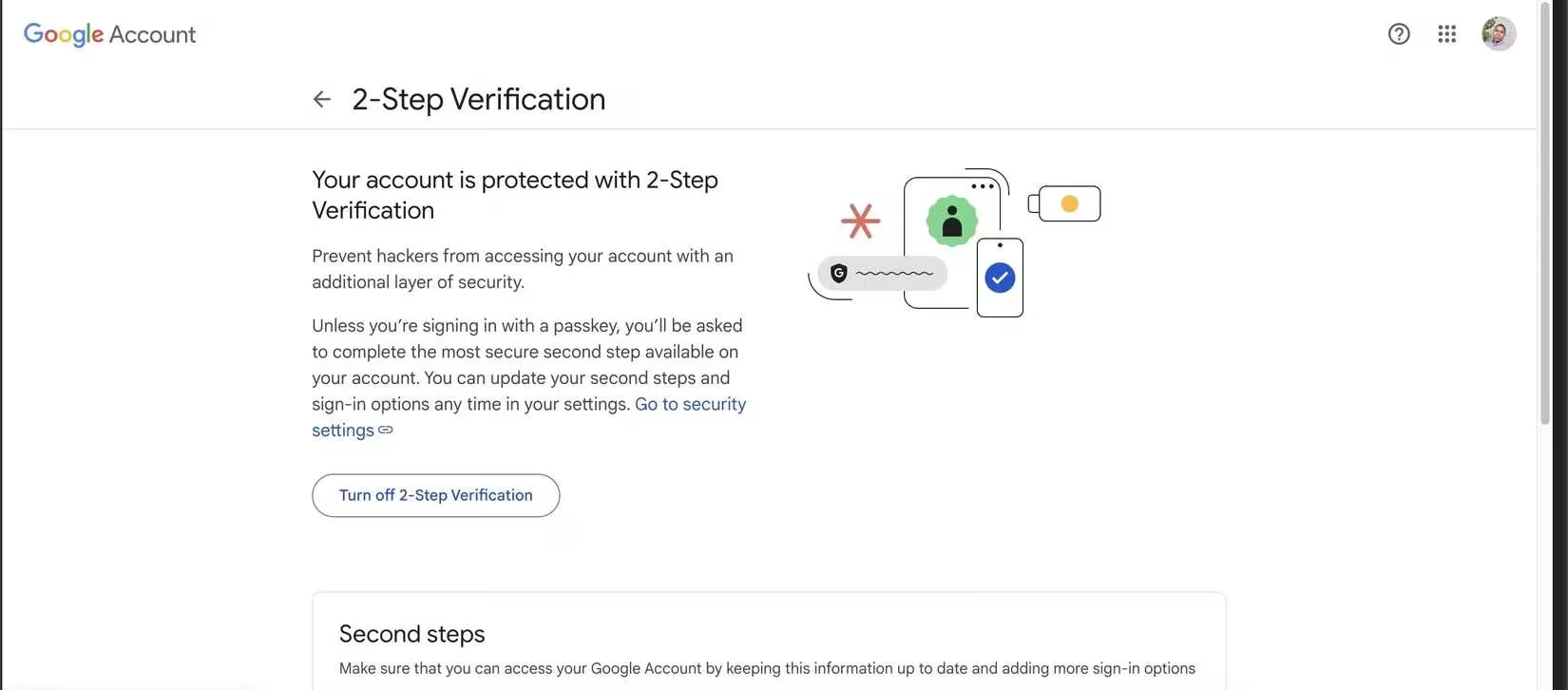
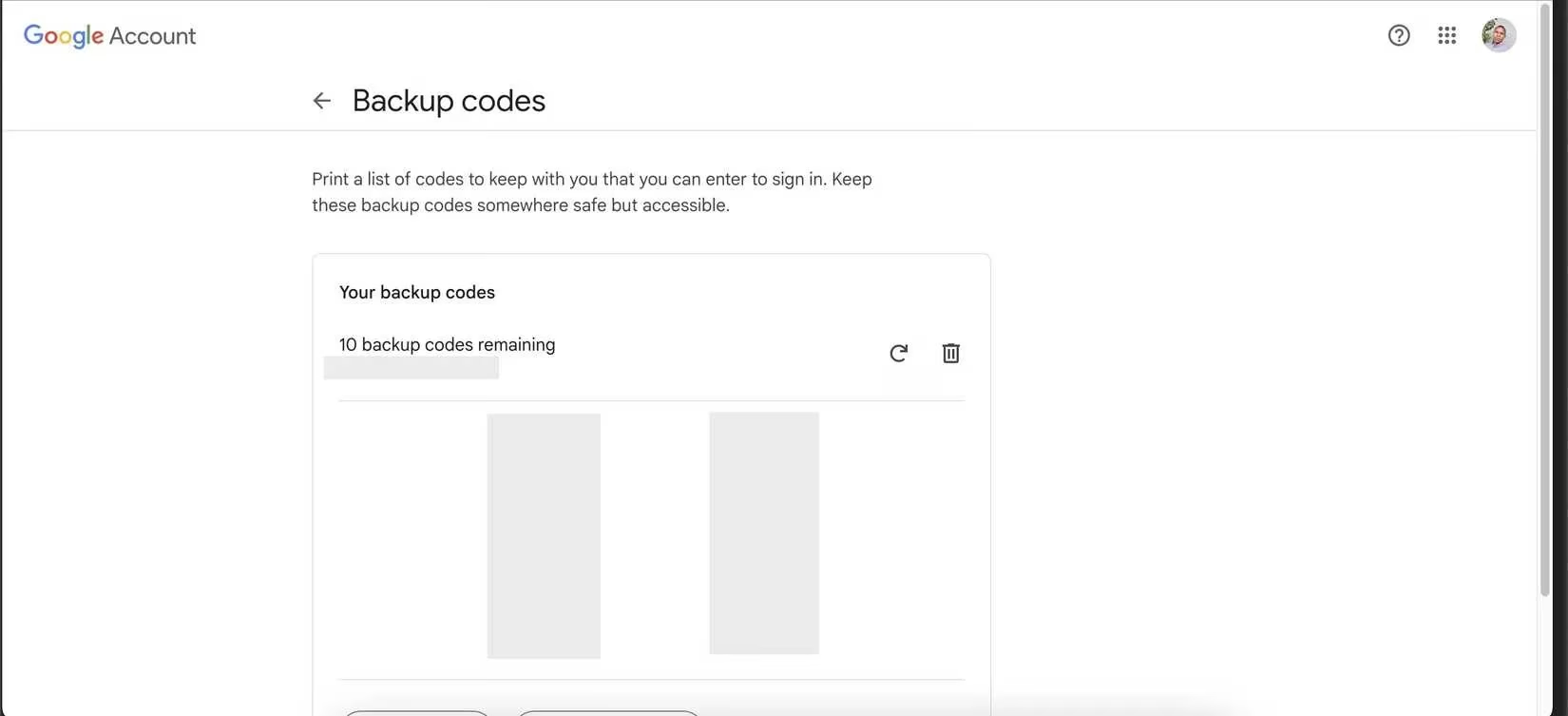
The final and often forgotten piece: backup codes. I generated a set of one-time-use codes from Google’s 2-Step Verification settings and printed them out. I keep one copy in my fireproof safe at home and another encrypted on a USB drive that never touches the internet. In a pinch—say, I lose my phone at an esports event while traveling abroad—those codes are my holy grail. No matter how advanced biometric security gets, a piece of paper with numbers can still save the day.
That Moscow login attempt could have ended my career. Instead, it became the catalyst for locking down my entire digital life. Now, I review my security settings every quarter, and I’ve even convinced my teammates to do the same. In 2026, our accounts are more than just inboxes—they’re vaults holding our passion, income, and reputation. Spend ten minutes right now: check your recovery info, craft a unique password, boot unknown devices, enable something stronger than SMS, and stash those backup codes. Your future self, poised to win a championship or just enjoy a hassle-free morning, will thank you.