
Essential VPN Settings: Kill Switch and DNS Leak Protection for True Privacy
Many people in 2026 still believe that simply activating their Virtual Private Network makes them completely anonymous online. This remains one of the most persistent misconceptions about what VPN technology can actually achieve. While it's true that a VPN encrypts your internet traffic and masks your IP address from websites, even the most sophisticated services can silently leak data that exposes your identity and location. The reality is that privacy isn't automatically guaranteed by connecting to a VPN server—it requires actively configuring specific security features that many users overlook. Without these crucial settings enabled, your digital footprint might still be visible to internet service providers, advertisers, and potential surveillance entities.
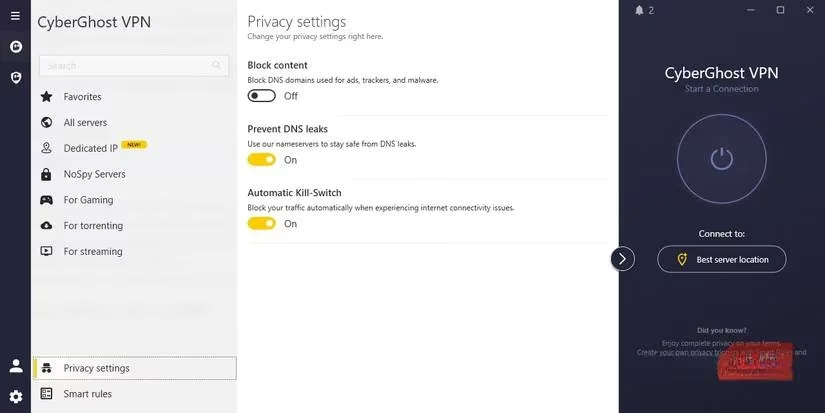
Understanding VPN Vulnerabilities in 2026
Despite significant advancements in encryption technology over recent years, VPN protection still isn't foolproof by default. Information can slip through security gaps depending entirely on your VPN configuration settings. At its most basic function, a VPN hides your browsing activity from your internet service provider and conceals your geographical location from websites you visit. However, it doesn't automatically prevent all types of data leaks that could compromise your privacy.
Modern VPN users in 2026 should be particularly aware of three primary leak types:
-
DNS Leaks – Your device might continue asking your internet provider to resolve website addresses, even while your main data travels through the encrypted VPN tunnel
-
IPv6 Leaks – Some VPN services still only route IPv4 traffic (the older internet addressing system), leaving newer IPv6 data completely exposed
-
WebRTC Leaks – Browser-based communication technologies can unintentionally reveal your real IP address when connecting to voice or video services
The most concerning aspect of these vulnerabilities is that unless you know exactly what to check for, you may never realize that your VPN is dripping fragments of your private information for others to collect and analyze. This invisible data leakage represents a significant threat to digital privacy that requires proactive measures to address.
The Critical Kill Switch Feature
Your first line of defense against accidental exposure is the VPN kill switch. If your VPN service is worth using in 2026, it should include this essential feature that you must manually enable. The kill switch serves as an emergency shutoff valve for your internet connection, activating instantly if your VPN connection drops for any reason. It immediately blocks all internet traffic from your device, ensuring that no data travels outside the encrypted tunnel when your primary protection fails.
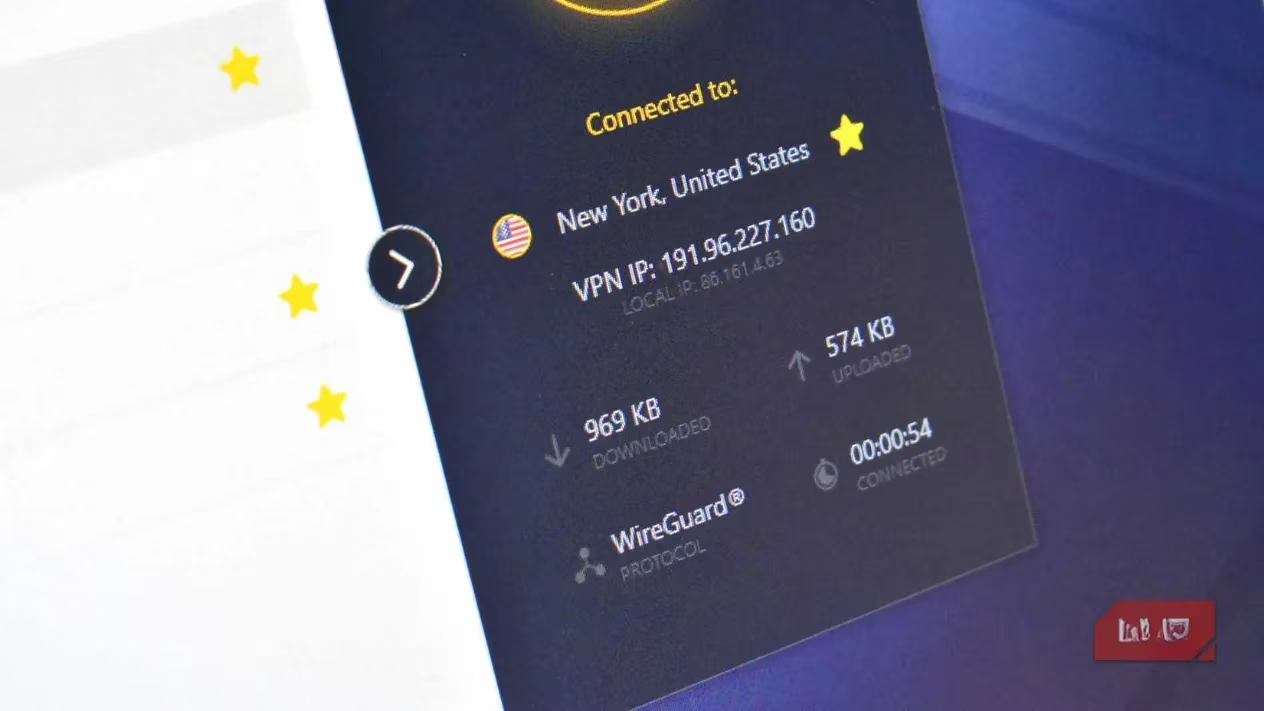
Why does this brief moment of VPN disconnection matter so much? 🤔 Even a few seconds of exposure is sufficient for background applications, cloud synchronization tools, or your web browser to transmit data using your real IP address and DNS requests. This temporary window can reveal enough information for tracking entities to identify your actual location, browsing habits, and potentially sensitive activities. Different VPN providers might use slightly varied terminology for this feature, but you'll typically find it labeled with "kill switch" somewhere in the security settings menu.
DNS Leak Protection: Your Second Essential Layer
The second non-negotiable setting you must enable is DNS leak protection. A comprehensive VPN service should encrypt your entire internet connection, including your DNS (Domain Name System) requests. Every time you type a website address, click a link, or interact with online content, your device sends DNS requests to locate the servers hosting that information. The DNS system essentially functions as the internet's phonebook, translating human-readable URLs into computer-readable IP addresses that form the backbone of global connectivity.
Here's why DNS encryption matters: Without protection, your DNS requests can be easily monitored and recorded by:
-
Your internet service provider
-
Network administrators
-
Government surveillance agencies
-
Malicious actors on public networks
When your VPN properly encrypts DNS data, your entire connection remains secure and private. But if that protection fails and DNS information leaks, all your web searches and visited domains can be directly attributed to your identity and location. DNS leak protection acts as a safety net that prevents this specific type of privacy breach from occurring, even when other VPN functions might experience temporary issues.
Beyond Basic VPN Settings: Additional Privacy Considerations
While enabling kill switch and DNS leak protection dramatically improves your VPN security, they don't represent the complete privacy solution. In 2026, privacy-conscious users should consider these additional measures:
Encrypted DNS Providers – Consider using an encrypted DNS service even when you're not actively using your VPN. This provides a consistent layer of privacy protection across all your internet activities, though the benefit is admittedly smaller than full VPN encryption.
No-Log VPN Verification – When selecting a VPN provider, prioritize services that guarantee they don't log your data. While "no-log" claims require careful scrutiny, several reputable providers now undergo regular third-party audits to verify their privacy policies. Services like NordVPN, Mullvad VPN, and Proton VPN have established transparent audit practices that back their marketing claims with verifiable evidence.
Regular Security Audits – The VPN landscape continues evolving, with new vulnerabilities discovered regularly. Make a habit of checking your VPN's security settings every few months and run occasional leak tests using online tools specifically designed to detect DNS, IPv6, and WebRTC vulnerabilities.
Practical Implementation Guide
Implementing these critical settings typically follows this straightforward process:
| Step | Action Required | Expected Outcome |
|---|---|---|
| 1 | Locate Security Settings | Access VPN application menu |
| 2 | Enable Kill Switch | Find and toggle "kill switch" option |
| 3 | Activate DNS Protection | Enable "DNS leak protection" or similar |
| 4 | Test Configuration | Use online leak testing tools |
| 5 | Regular Verification | Monthly security checks recommended |
Remember that your VPN represents just one component of a comprehensive digital privacy strategy. It can still accidentally leak information under certain conditions, and no service guarantees perfect protection 100% of the time. However, by implementing these two essential settings—the kill switch and DNS leak protection—you significantly strengthen your privacy defenses during those critical moments when protection matters most. These measures transform your VPN from a potentially leaky pipe into a robust privacy shield that actively guards against accidental exposure.
As we move further into the digital age, taking control of your privacy settings becomes increasingly important. Don't assume your VPN provider has optimized everything for maximum security. Take those few extra minutes to hunt through the settings menu, enable these critical features, and give yourself the peace of mind that comes with knowing you've closed the most common privacy gaps in your VPN protection. Your digital identity deserves this basic level of care and attention in an increasingly monitored online world. 🔒