
My Journey to Digital Privacy: Uncovering and Disabling Windows Location Tracking in 2026
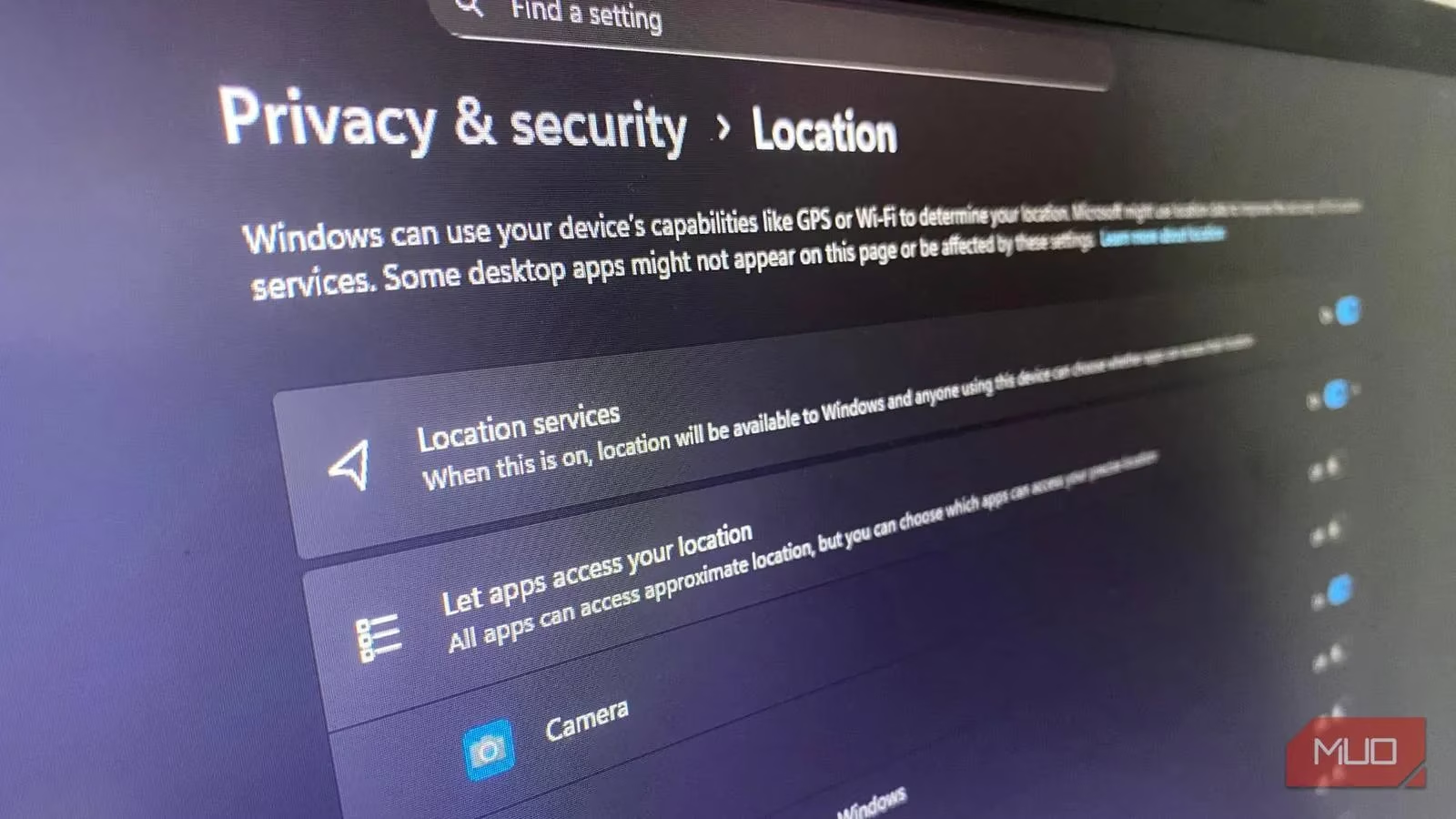
As I sat at my desk in 2026, a simple notification about a local restaurant deal triggered a profound realization. My computer seemed to know me better than I knew myself. The weather widget always showed my exact neighborhood forecast, and map suggestions anticipated my destinations. This convenience came at a cost I hadn't fully appreciated—my location was being tracked, analyzed, and stored continuously. Windows, like a silent cartographer, was meticulously charting my digital and physical movements, weaving my coordinates into a tapestry of data that extended far beyond my screen.
The Invisible Cartographer: How Windows Maps Your World
Windows employs a sophisticated blend of technologies to pinpoint my device's location. Since most PCs don't have built-in cellular GPS, they function like a digital bloodhound, sniffing out position through Wi-Fi networks. This Wi-Fi positioning, combined with GPS when available, nearby Bluetooth beacons, and my IP address, creates a precise location fingerprint. The system is deceptively simple: it triangulates my position using visible Wi-Fi networks like a spider sensing vibrations in its web, each network signal acting as a thread that reveals my presence.
This collected data powers features I often take for granted:
-
📍 Location-based weather updates
-
🗺️ Precise mapping services
-
🔍 "Find my device" functionality
Yet, this information doesn't remain confined to my machine. It flows into Microsoft's cloud servers, where it's tied directly to my Microsoft account. The implications became clear as I researched further—my location history could be correlated with my app usage, search patterns, and even the times I typically interact with my device.
The Data Pipeline: Where Your Location Travels
What disturbed me most was discovering how this location data becomes currency in the digital ecosystem. Once Windows gathers my coordinates, they're stored on Microsoft servers and made available to any app I've granted location permissions. This creates a data pipeline that flows in multiple directions:
| Data Source | Primary Use | Secondary Use |
|---|---|---|
| GPS/Wi-Fi Positioning | Device features (maps, weather) | Microsoft telemetry & analytics |
| IP Address | Network connectivity | Regional content delivery |
| Bluetooth Beacons | Device connectivity | Proximity tracking |
| Microsoft Account | User authentication | Cross-device location syncing |
This pipeline enables entities to draw startling inferences about my life. Advertisers might estimate my daily commute patterns, deduce when I'm likely to be home or traveling, and identify my frequent locations. Some apps that seemingly don't need location access—like note-taking or calculator applications—still request it, potentially using this information to serve targeted notifications and advertisements.
The realization hit me: with Location Services enabled, I wasn't just sharing my coordinates; I was offering a window into my habits, routines, and private movements to multiple companies simultaneously. It felt like leaving my diary open on a public park bench, with various passersby taking notes on different chapters of my life.
Taking Control: The Nuclear Option for Location Privacy
Windows does offer app-level permission controls, but I discovered these are often superficial—like putting a bandage on a deep wound. The true solution lies deeper within the system. To fundamentally sever the location tracking pipeline, I needed to disable Windows Location Services at the operating system level.
The process was straightforward:
-
Open Settings → Privacy & security → Location
-
Toggle off the "Location services" master switch
-
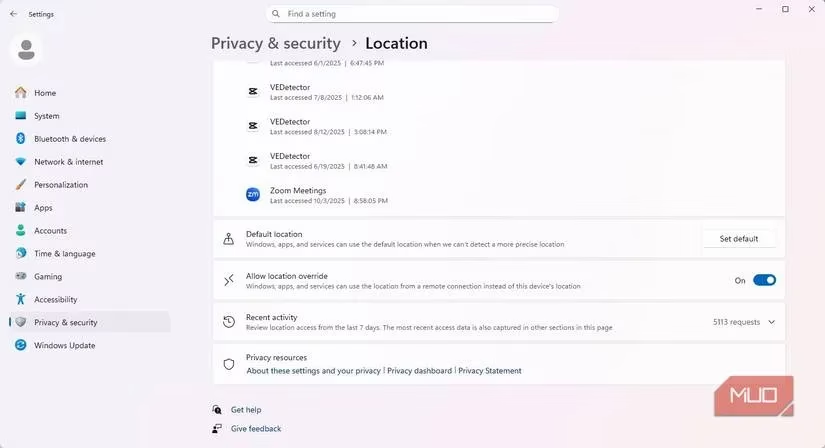
Verify that all individual app permissions show as inactive
This action functions like a digital circuit breaker for location tracking. It prevents apps from accessing GPS/location hardware and blocks them from using any APIs to query Windows for my coordinates. The effect is comprehensive—most programs are completely blinded to my physical whereabouts. Except for disconnecting from the internet entirely, this represents the most complete shutdown of location tracking available to users.
The Limits of Control: What Disabling Doesn't Stop
As I celebrated my newfound privacy, I encountered a sobering truth: turning off Location Services doesn't make me digitally invisible. The operating system and certain applications can still infer my general location through indirect means. The primary culprits are my IP address and time zone settings, which together can identify my city or neighborhood with reasonable accuracy.
Microsoft services like Edge and Bing, which are tied to my account, may continue using IP-based geolocation to deliver region-specific content and advertisements. Some third-party applications with internet access might bypass Windows entirely, querying their own servers to determine my approximate location based on network data. This occurs because IP routing operates at the network level—beyond the control of the operating system's location switch.
Building a Privacy Fortress: Additional Protective Measures
To address these residual tracking vectors, I implemented additional safeguards:
1. VPN Protection
A trusted VPN service masks my IP address, creating a protective layer that extends privacy beyond the operating system. It's like wearing a digital cloak that obscures my network signature from prying eyes.
2. Network Hardening
-
Disabled Wi-Fi and Bluetooth scanning in Settings
-
Implemented DNS encryption where possible
-
Used privacy-focused browser extensions for tracker blocking
3. Behavioral Adjustments
-
Manually entering locations for weather and mapping services
-
Being selective about which apps truly need location access
-
Regularly reviewing privacy settings across all connected services
The Privacy-Utility Balance in 2026
Windows attempts to balance user convenience with data collection, but this equilibrium often tilts toward Microsoft's ecosystem interests. My journey taught me that taking deliberate control of privacy settings can recalibrate this balance. While I've sacrificed some convenience—like automatic location detection for weather—I've gained peace of mind knowing my movements aren't being constantly logged and analyzed.
The experience transformed my understanding of digital privacy. Location tracking isn't a binary on/off switch but a spectrum of exposure. By disabling Windows Location Services and implementing complementary protections, I've moved myself toward the private end of that spectrum. I'm not completely invisible in the digital landscape, but I'm no longer broadcasting my coordinates like a lighthouse beacon in the night.
In our increasingly connected world of 2026, where smart devices and ambient computing surround us, understanding and controlling location tracking has become an essential digital literacy skill. My computer is now a tool I command, rather than a silent observer documenting my every move. The quiet hum of its fans no longer sounds like a surveillance apparatus recording my presence, but like a trusted companion respecting the boundaries I've established.