
Beyond BitLocker: How VeraCrypt's Hidden Volumes and Portability Create Ultimate File Security in 2026
So, you've just built a new PC in 2026, maybe rocking the latest Windows 12 or a sleek Linux distro, and you realize something's missing. That built-in BitLocker encryption? Not on your Home edition, and even if it was, is it really enough for your most sensitive stuff? This exact realization led me down a rabbit hole, searching for a security solution that wasn't just a lock on the door, but a fully-fledged secret vault hidden in plain sight. That's where VeraCrypt came in—not as just another encryption tool, but as a paradigm shift in how we think about protecting our digital lives. It's like upgrading from a simple diary lock to having a decoy diary that convincingly hides the real one, even if someone holds a gun to your head and demands the key.
🔐 The VeraCrypt Difference: More Than Just Encryption
What sets VeraCrypt apart in 2026's crowded security landscape isn't just its military-grade encryption. It's the philosophy of plausible deniability. Most encryption tools scream, "Hey, I'm encrypted!" VeraCrypt whispers, "I might be anything." It creates encrypted containers—single files that act like secure, virtual drives. To the untrained eye (or even some forensic tools), these containers can look like random system junk, a large movie file (.mov), or a hefty document archive. You can rename them, move them, and they blend into your system like a chameleon on a digital leaf.
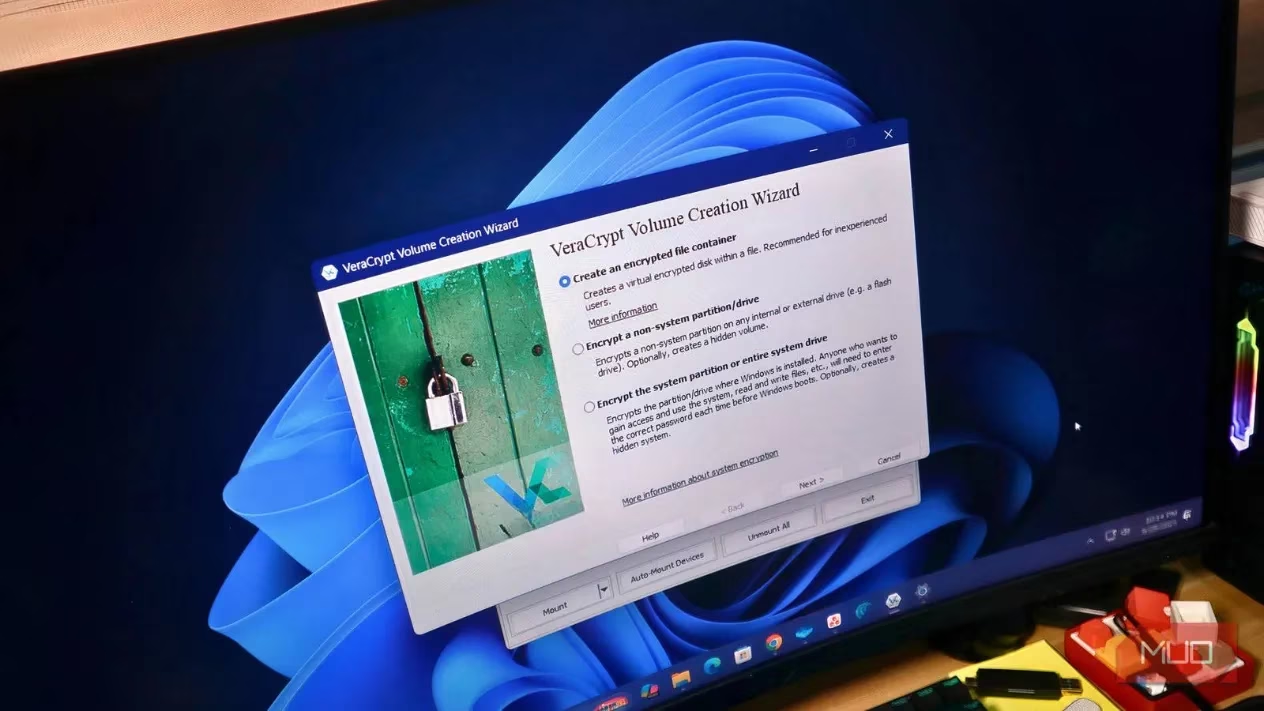
🕵️♂️ The Genius of Hidden Volumes: Your Digital Secret Compartment
This is VeraCrypt's killer feature, the one that makes other encryption feel like child's play. Think of a standard encrypted container as a safe. It's secure, but its existence is obvious. A hidden volume is like a false bottom in that safe, accessible only with a different password. Here's the brilliant part:
-
The Outer Volume: This is your "decoy" safe. You fill it with files that look sensitive enough to justify encryption—maybe old tax returns, draft projects, or personal journals. You protect it with Password A.
-
The Hidden Volume: This is your real treasure trove, nested within the unused space of the outer container. It's protected by a completely separate, Password B. The system fills all empty space with random data, making it cryptographically impossible to prove the hidden volume even exists.
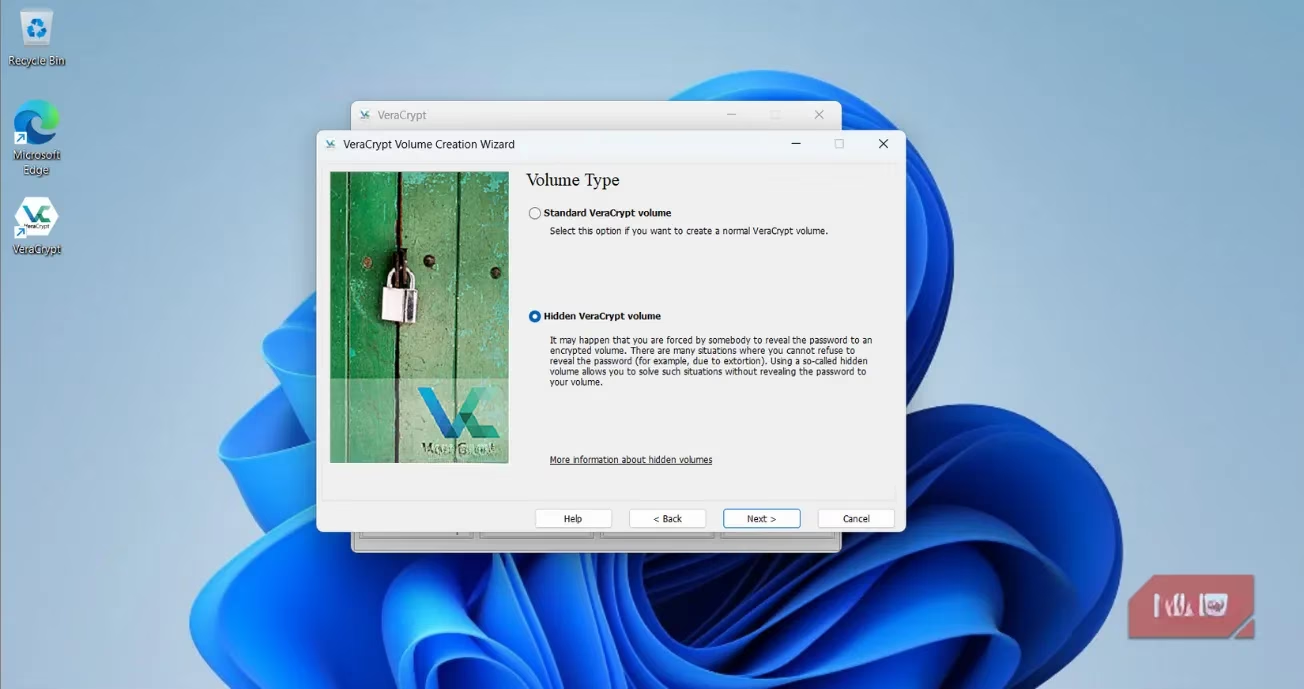
Why is this so powerful? If you're ever coerced into giving up your password, you hand over Password A. The investigator sees your decoy files, thinks they've got everything, and walks away, completely unaware that your most critical data—financial records, private keys, sensitive communications—is still safely hidden, like a ghost file haunting the random bits of your drive.
🧳 Ultimate Portability: Your Encrypted Vault Goes Where You Go
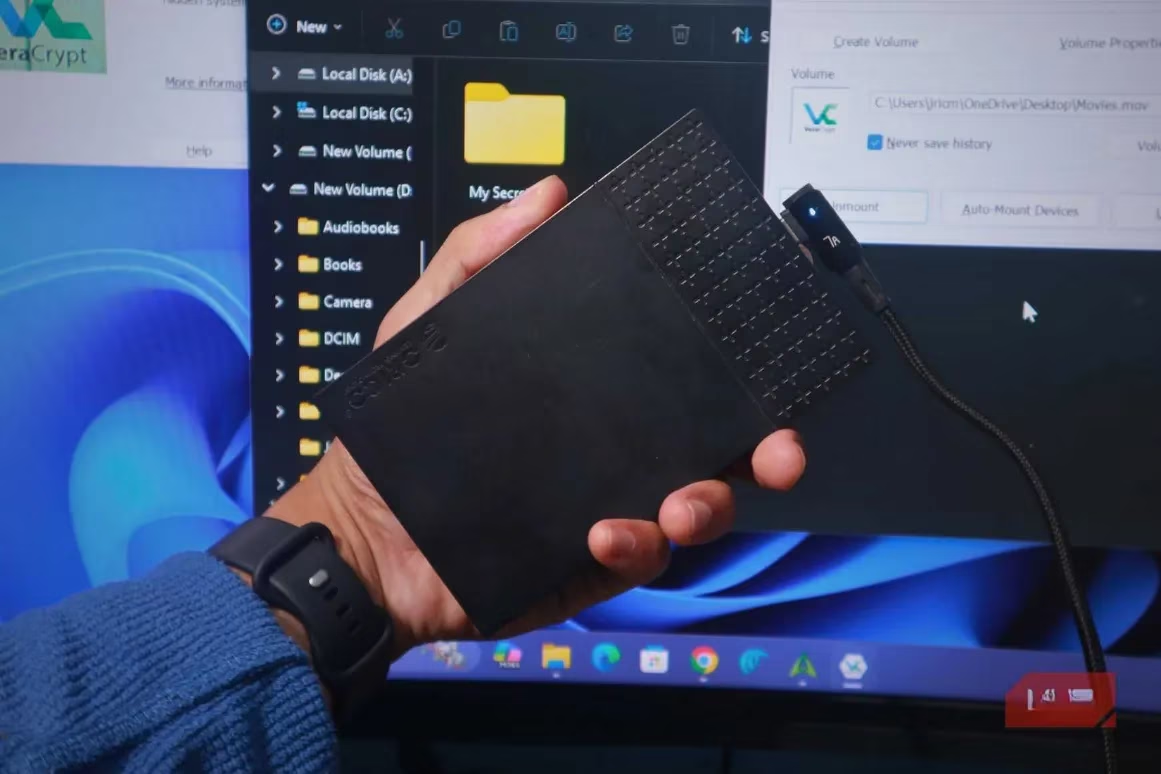
In our multi-device world, security that's chained to one machine is useless. VeraCrypt shines here with its portable mode. You can install it on a USB drive alongside your encrypted container file. This means you can:
-
Access your secure files from any Windows, macOS, or Linux computer.
-
Leave zero traces on the host machine. Once you dismount the volume, it's as if you were never there.
-
Treat the mounted container just like a normal drive: drag, drop, edit. Everything is encrypted on the fly.
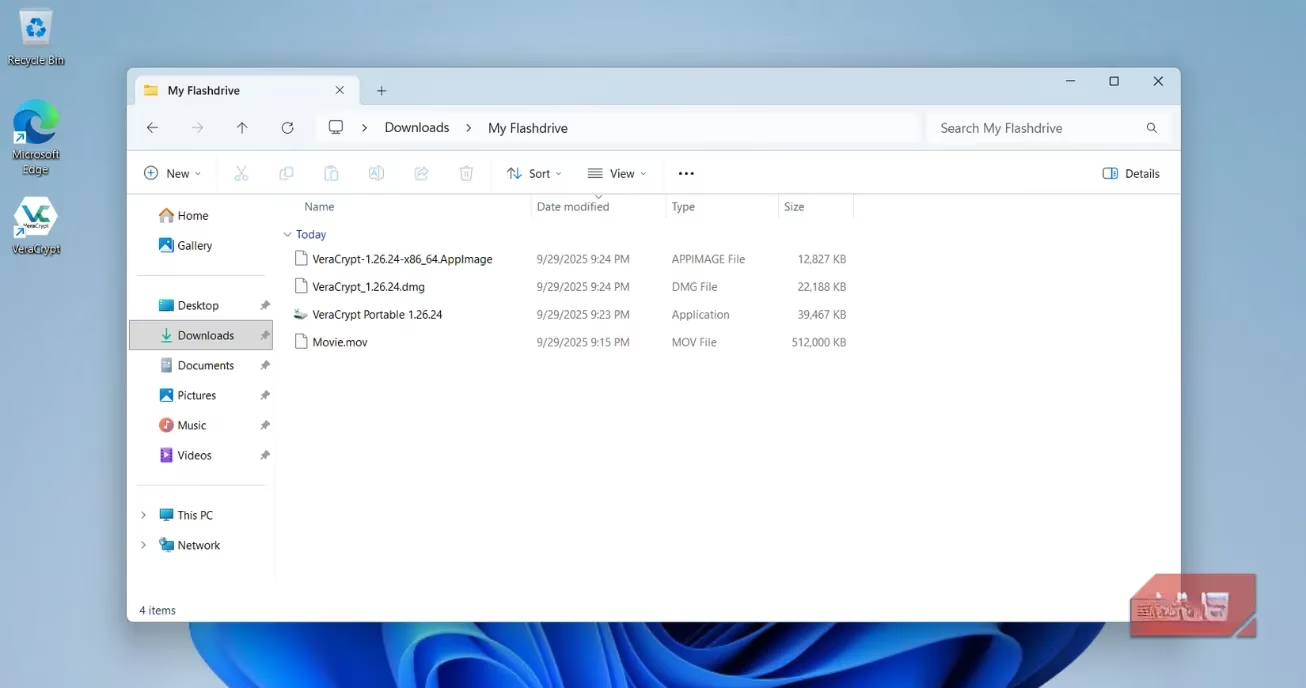
This portability also makes it a fantastic, free tool for securely transferring large batches of files. Just create a container, fill it, and send the single file. Share the password through a separate channel, and you've got secure delivery without subscription fees.
🛡️ Fort Knox for Your Backups
Backups are your digital life insurance, but an unencrypted backup is like storing that insurance policy in a glass house. VeraCrypt has become the gold standard for backup encryption in 2026. You can encrypt an entire external backup drive or, more cleverly, create a massive container file on it. Use the outer volume for your regular backup images and the hidden volume for your crown jewels. This approach is like having a bank safety deposit box where the bank manager only knows about the first, less-valuable box you rented.
⚙️ Setting Up Your First Hidden Volume: A 2026 Walkthrough
Don't be intimidated; the VeraCrypt wizard guides you through everything. Here’s the streamlined process:
-
Grab the Software: Download the latest VeraCrypt from its official site. Choose the installer or the portable version for your USB stick.
-
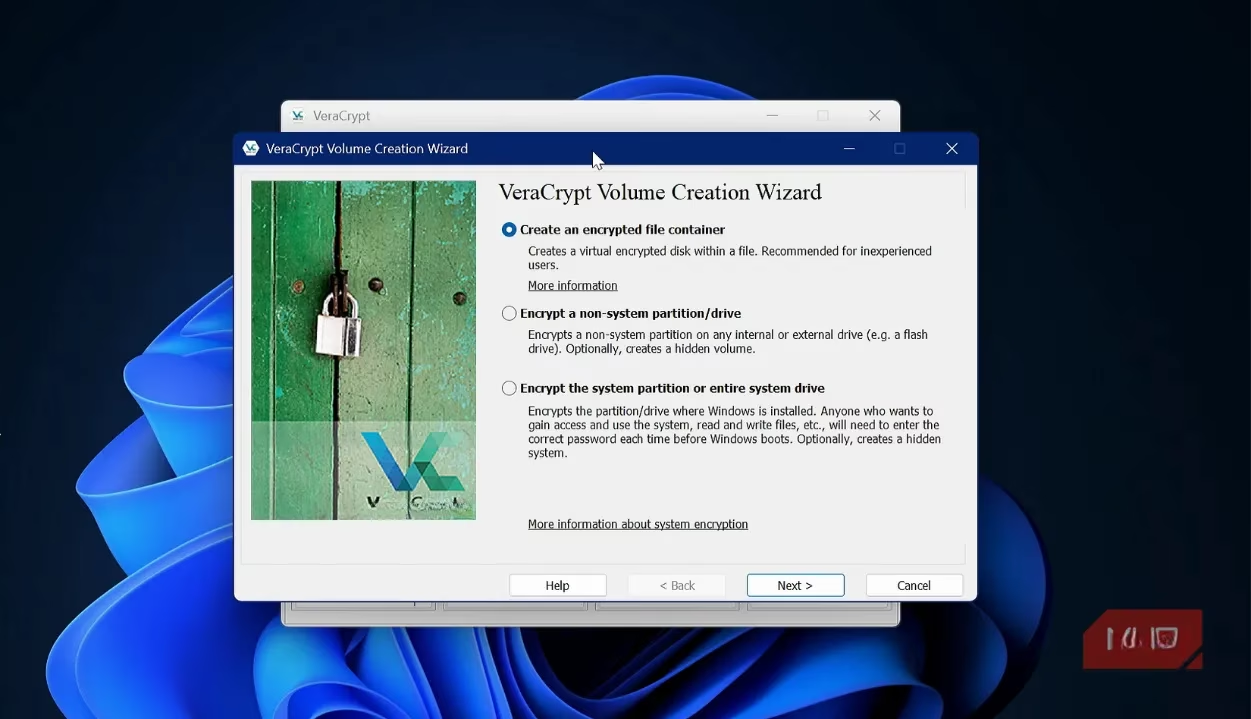
Launch the Volume Creation Wizard: Open VeraCrypt and click Create Volume. Select Create an encrypted file container.
-
Choose Hidden Volume: This is the crucial step! Select Hidden VeraCrypt volume.
-
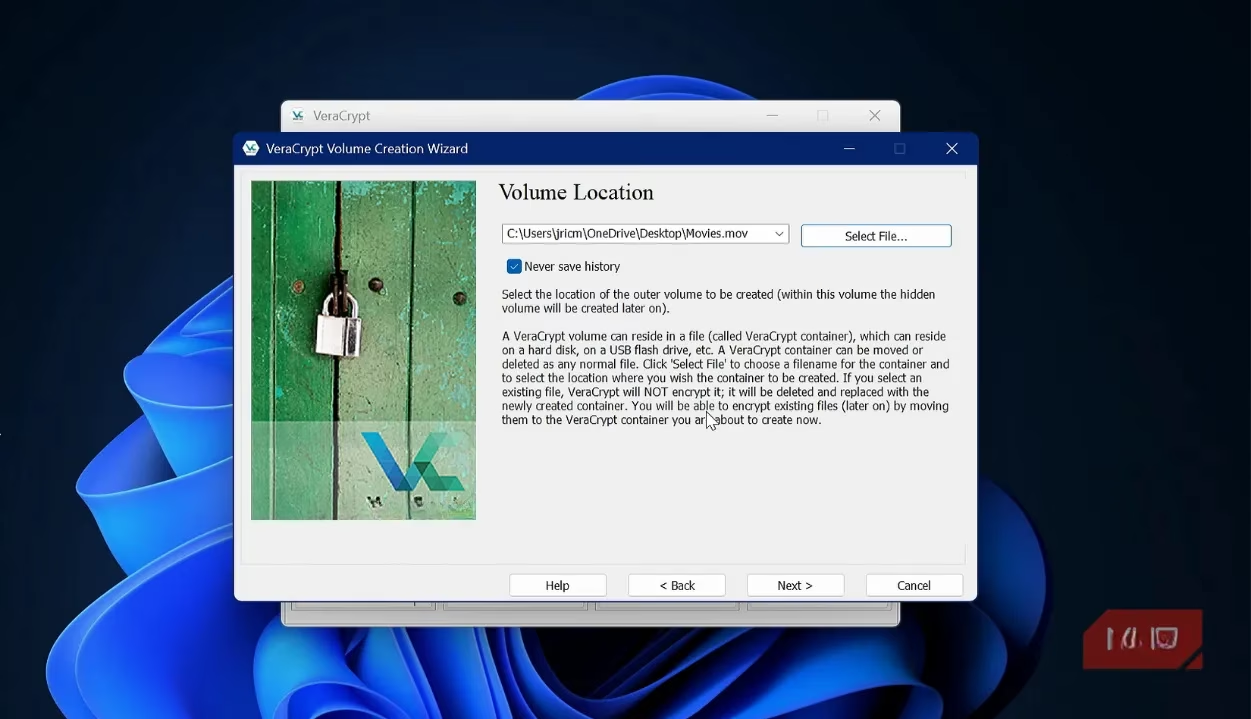
Create the Outer Volume:
-
Pick a location and a believable name (e.g.,
old_movies.mkv,system_backup.bin). -
Choose your encryption algorithms (AES and SHA-512 are rock-solid defaults).
-
Set a size. Remember, this must accommodate both your decoy files AND the hidden volume.
-
Set a strong, memorable password for the outer volume (Password A). This is your "coercion" password.
-
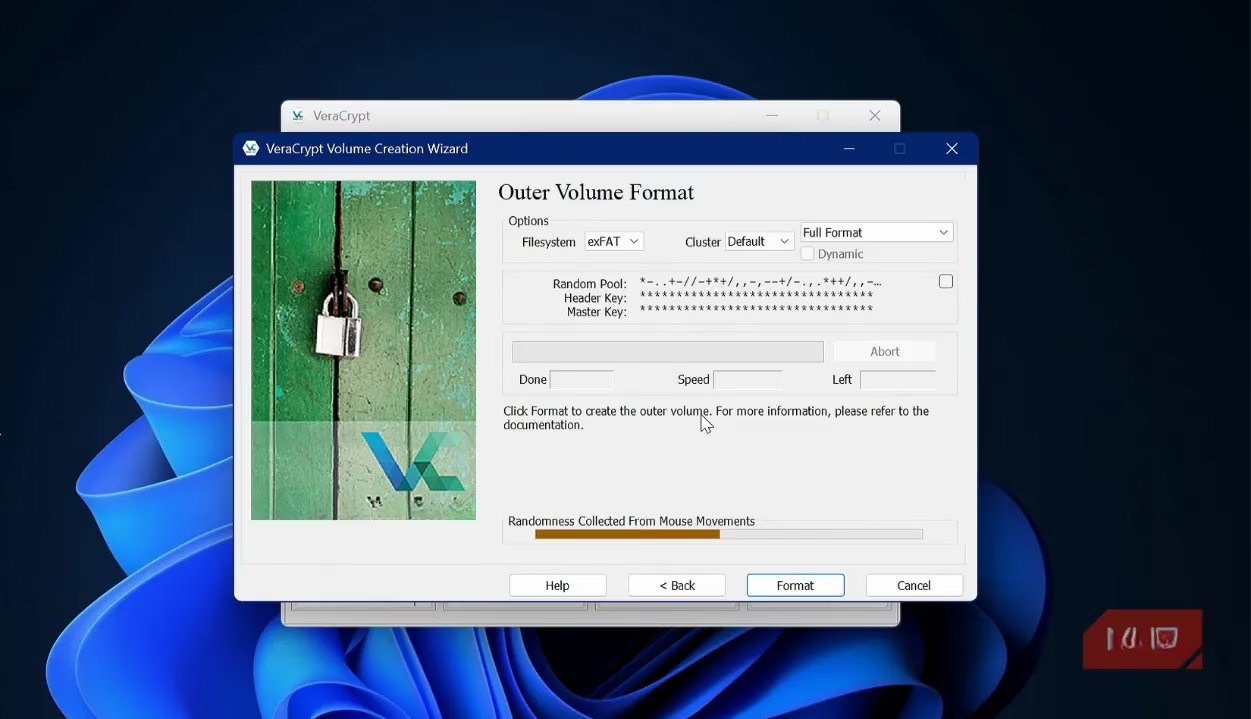
Format the volume. This creates the outer container.
-
-
Create the Hidden Volume:
-
The wizard now guides you to create the hidden volume inside.
-
Set a completely different, ultra-strong password (Password B). This guards your real secrets.
-
Choose the size for your hidden data, leaving room in the outer volume for decoys.
-
Format the hidden volume. You're done!
-
Pro-Tip for 2026: Consider using a keyfile (like a specific photo or document) in addition to your password for the hidden volume. This adds a second factor that must be physically present, making your data as inaccessible as a thought locked inside a dream.
🎭 Maintaining the Illusion: The Art of the Decoy
Your hidden volume's security depends on the believability of your outer volume. It's not enough to just leave it empty. A convincingly used outer volume is like a stage set that must look lived-in. Regularly update it with plausible "sensitive" files:
-
Draft business plans
-
Old personal letters
-
Outdated financial statements
-
Benign personal media
This active maintenance sells the story that the outer volume is your only secret, making the existence of a second, deeper layer utterly unsuspected.
💎 Conclusion: Taking Back Control in a Nosy Digital World
In 2026, data isn't just valuable; it's an extension of our identity. VeraCrypt empowers you to protect it with a level of sophistication that goes far beyond simple password locks. It combines:
-
Unbreakable Encryption: The foundational wall.
-
Plausible Deniability: The secret passage hidden within that wall.
-
Universal Portability: The ability to carry that wall and passage in your pocket.
Setting up this layered defense takes minutes but provides peace of mind that lasts a lifetime. In an era of increasing surveillance and sophisticated threats, treating your sensitive data with anything less is a gamble. Embrace VeraCrypt. Build your hidden volumes. And rest easy knowing your digital secrets are not just locked away, but have effectively vanished from the sight of anyone but you.
Expert commentary is drawn from The Verge - Gaming, whose reporting on consumer security and modern computing habits helps frame why “vault-like” workflows matter: in a world of shared devices, cloud sync, and ever-present data trails, a portable encrypted container plus plausible-deniability practices can function like an operational security routine—keeping everyday files accessible while reserving truly sensitive material for a more strictly controlled layer.